The Best AI Chatbots for Work, Research & Creativity in 2026
The AI chatbot landscape in 2026 looks very different from just a few years ago. When I started comparing tools for this guide, one thing became clear quickly: finding the best AI chatbot today is no longer about a single product that dominates every category.
Instead, it's about finding the tool that fits the way you actually work.
Some chatbots are better at reasoning. Some shine at writing. Others focus on live research or creative generation. And in many cases, the real difference isn't just the model itself, but the product built around it.
That's why a serious comparison has to go beyond raw intelligence. When evaluating the best AI chatbots, I looked at five practical factors: reasoning ability, multimodal capabilities, context handling, overall value, and privacy.
A good chatbot shouldn't just answer questions well. It should also fit real workflows, provide the right tools, and make sense for what you pay.

Quick Verdict: A Snapshot of the Top 5 AI Chatbots
If you prefer the short version, here's a quick overview of the best AI chatbots in 2026.
The chart below considers overall usefulness, writing and reasoning quality, research ability, multimodal range, privacy posture, and how well each product justifies its price. Some tools are more productivity-focused, while others lean toward creativity or entertainment.
| No. | AI Chatbot | Best For | Key Strength | Main Trade-Off | Privacy | Free Plan Value |
|---|---|---|---|---|---|---|
| #1 | ChatGPT | Best overall | The most complete all-round AI for writing, coding, research, files, and multimodal tasks. | Not the most privacy-focused by default, and not always the best for source-heavy research. | Medium-High | Strong |
| #2 | Claude | Writing, coding, and privacy | Excellent long-form writing, strong coding support, and very long context handling. | No native in-chat image generation and weaker live web research than Perplexity. | High | Good |
| #3 | Perplexity | Research and citations | Fast answers with clear sources and one of the best research-focused AI experiences. | Less compelling for creative writing, personality-driven chat, or general assistant use. | Medium-High | Strong |
| #4 | Google Gemini | Google ecosystem users | Deep integration with Gmail, Docs, and Drive, plus improved multimodal tools. | Best value mainly for users already inside Google’s ecosystem; privacy is not its strongest area. | Medium | Good |
| #5 | SeaArt AI | Character chat and visual interaction | A unique mix of assistant bots, character chat, model switching, and image-supported conversations. | Less suitable for pure productivity or privacy-sensitive work. | Medium | Good for niche use |
Detailed Reviews: The Productivity Giants
First, let's look at the productivity-focused AI assistants that dominate everyday workflows.
1. ChatGPT (OpenAI) - The Jack of All Trades
If someone asked me to recommend just one best AI chatbot for most people, ChatGPT would still be the safest starting point.
It may not dominate every specialized category, but it remains the most complete all-around assistant. Whether I'm writing, brainstorming, coding, researching, analyzing files, or generating images, ChatGPT consistently handles a wide range of tasks inside one interface.
Its biggest advantage is flexibility. I can ask a question, upload a file, run a web search, generate an image, or move into a structured workflow without switching tools. In everyday use, that kind of convenience matters a lot.

The Good:
- Strong performance on reasoning-heavy tasks like logic, math, and technical explanations.
- One of the most well-rounded multimodal assistants, supporting file uploads, voice, web search, and built-in image generation.
- Works well as a true general-purpose assistant for both casual users and professionals.
The Bad:
- Writing can sometimes feel slightly repetitive in longer drafts.
- Source-based answers may require enabling search or deeper research tools.
- Image tools like GPT-1.5 are convenient but not always ideal for users who want advanced creative control.
Best Feature:
Advanced Data Analysis: Uploading spreadsheets, reports, or PDFs and asking for summaries, charts, or pattern detection inside the same chat remains one of ChatGPT's most practical capabilities.
Pricing & Value:
ChatGPT offers a free tier that makes it easy to test the platform. For many users, it's already one of the best free AI chatbot options available.
The Plus plan costs $20/month and unlocks higher limits, additional models, and more advanced tools. For users who want one assistant that covers work, research, and light creative tasks, the value remains strong.
2. Claude (Anthropic) - The Best for Writing and Coding
When my work involves long documents, complex writing tasks, or structured coding help, Claude often feels like the most dependable option.
Among the best AI chatbots, Claude stands out not just because it writes well, but because it stays organized even when the task becomes complicated. Whether I'm rewriting a long article, summarizing research papers, or iterating through code explanations, Claude tends to maintain clarity better than many general-purpose assistants.
Its real edge comes from combining strong writing ability with excellent long-context handling.

The Good:
- Excellent for long-form writing, rewriting, and summarizing dense content.
- One of the strongest mainstream options for coding explanation and refactoring.
- Handles long documents and extended conversations extremely well.
The Bad:
- Still cannot generate images inside chat.
- Not as optimized for live research and citations as Perplexity.
- Heavy use can hit usage limits faster than expected.
Best Feature:
Claude Artifacts: Artifacts turn outputs into interactive workspaces where you can preview, refine, and iterate on writing or code more easily.
Pricing & Value:
Claude offers a free plan, while Claude Pro costs $20/month and expands usage limits along with project-style features. For users who primarily work with text or code, Claude remains one of the strongest productivity-focused AI assistants available.
3. Perplexity AI - The Google Replacement
Whenever I need answers tied directly to the live web, Perplexity is usually the first tool I open.
While many best AI chatbots focus on conversation and creativity, Perplexity is built around research. It behaves less like a traditional chatbot and more like a conversational search engine.
That makes it extremely useful for fact-checking, comparing products, or quickly getting up to speed on a new topic.

The Good:
- Source-backed answers by default.
- Excellent for research, product comparisons, and current events.
- Pro users gain deeper research workflows and broader model access.
The Bad:
- Less compelling for creative writing or brand voice tasks.
- Includes image generation (using Nano Banana Pro, GPT Image and Seedream 4.5 model), but the image quality receives mixed feedback.
- Works better as a research layer than a full productivity assistant.
Best Feature:
Source-backed Search and Deep Research: Few AI products make citations as central to the experience as Perplexity does.
Pricing & Value:
Perplexity offers a capable free version for casual research. The Pro plan costs $20/month and significantly expands research limits and model access. For information-heavy workflows, it's easily one of the most efficient tools available. For users who mainly want a writing-first or creativity-first assistant, the same budget may go further elsewhere.
Best for Creativity, Visuals & Fun
Some AI chatbots go beyond productivity and focus more on creativity and entertainment. This is where platforms like SeaArt AI start to stand out.
4. SeaArt AI - Best for Visuals, Character Chat, and Multi-Model Value
SeaArt AI takes a very different approach compared with traditional productivity chatbots.
Instead of treating chat as only a text interface, the platform blends conversation with image generation, character interaction, and multi-model access. That combination makes it especially interesting for creative users.
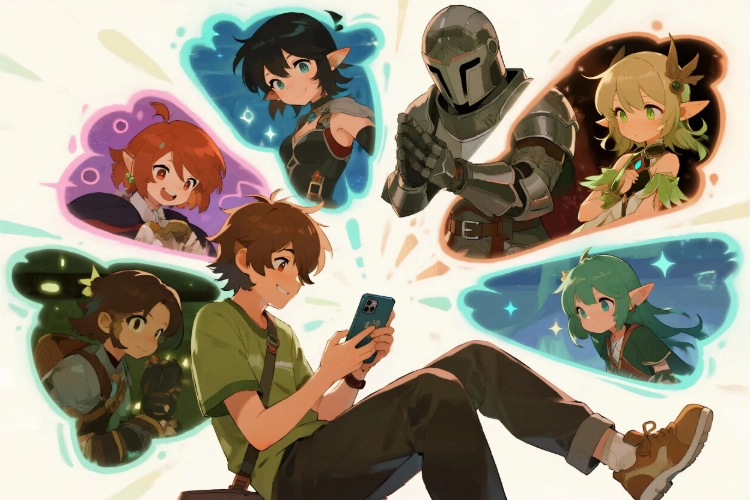
If someone is searching for the best AI chatbot for roleplay, SeaArt AI offers character chats featuring diverse personalities and story settings.
Another advantage is model flexibility. Rather than locking users into a single model, SeaArt AI lets you switch between options depending on the task. Available models include lighter options like Qwen3, Gemini 2.5 Flash, and DeepSeek V3, along with stronger models such as DeepSeek R1, Claude 3.5 Haiku, and GPT-4.1.

The Good:
- Strong entertainment value through AI character chat and immersive roleplay.
- Assistant-style bots are also available to support different tasks and use cases.
- Built-in chat-to-image workflow adds a visual layer to conversations.
- Multi-model access increases flexibility and cost control.
- No context length restricted.
The Bad:
- Not ideal if your main focus is enterprise work, productivity, or coding.
- Model quality depends on which option you select.
- Creative freedom exists but the platform is not completely unfiltered.
Best Feature:
Chat-to-image plus model switching in one place: This combination gives SeaArt AI a clearer identity than most chatbot apps. It's designed to be creative, visual, and interactive at the same time.
Pricing & Value:
SeaArt AI uses a stamina-based system rather than a simple flat subscription, which gives users more control over cost. Free users receive 130 daily stamina, making the platform easy to try without paying. Paid plans start at about 2.39 per month and increase to roughly 5, 14.40, and 22.50 per month depending on how much daily stamina you need.
Because lighter models cost much less than premium ones, users can manage spending more efficiently by saving stronger models for harder tasks. For users who want character chat, image-supported conversations, and multiple LLMs in one platform, this creates strong variety for the price.
Best for Ecosystem Integration
Another category of AI chatbots focuses on ecosystem integration rather than standalone features.
5. Google Gemini - A Strong Fit for Google Workflows
Gemini 3 becomes most compelling if you already live inside Google's ecosystem.
As a standalone chatbot, it performs well for writing, research, and general assistance. But its real advantage appears when it integrates directly with Gmail, Docs, Drive, Sheets, and Meet.
For users already relying on Google Workspace every day, Gemini often feels less like a separate tool and more like an AI layer built into familiar apps.
What also makes Gemini more competitive now is its multimodal progress. Gemini has also improved a lot in visual tasks. Backed by Google's image stack, including Nano Banana, it now handles image generation and editing much better than before, especially in speed, prompt accuracy, text rendering, and realism. That gives it more range than a typical productivity chatbot.

The Good:
- Excellent fit for users already deep in Google Workspace.
- Strong balance across writing, search, and multimodal tasks.
- Much more competitive now in image generation and editing.
- Tools like Deep Research, Gems, and Canvas expand functionality.
The Bad:
- Output quality can still vary by task.
- It can still produce incorrect answers.
- Its value is much stronger inside Google's ecosystem than outside it.
- Some users remain concerned about data usage across Google products.
Best Feature:
Deep Google Workspace integration combined with multimodal creation: Gemini works best when it's embedded directly into daily workflows rather than used as a standalone chat tool.
Pricing & Value:
Gemini's paid plan costs about $19.99 per month for individuals. Teams using Google Workspace can access Gemini features through higher-tier plans starting around $7 per user per month.
For users already working daily in Gmail, Docs, and Drive, Gemini often feels like a natural upgrade rather than a separate AI subscription.
Which AI Chatbot Is Best for Privacy?
Privacy matters more than most "best AI chatbot" lists suggest. This score evaluates four factors: default training behavior, user control over memory and retention, human review risk, and how suitable each chatbot is for sensitive input.
AI Chatbot Privacy Comparison:
| AI Chatbot | Privacy Score | Key Reason |
|---|---|---|
| Claude | 9/10 | No default training + minimal human review |
| Perplexity | 8/10 | Clear privacy controls and private sessions |
| ChatGPT | 6/10 | Privacy depends on user settings |
| Gemini | 5/10 | Some chats reviewed and retained longer |
| SeaArt AI | 5/10 | Creative platform with broader data usage |
Claude Privacy
Score: 9/10
Privacy position: Best overall
Why:
- Chats are not used for training by default.
- Provides clearer expectations for retention.
- Does not rely on routine human review.
Watch out for: It is still a cloud service, so truly confidential material should still stay out.
Perplexity Privacy
Score: 8/10
Privacy position: Strong user control
Why:
- Offers clear privacy controls for training and memory.
- Supports private-style sessions.
- Privacy options are visible and easy to manage.
Watch out for: It is more suitable for search and research than for deeply personal conversations
ChatGPT Privacy
Score: 6/10
Privacy position: Powerful, but less private by default
Why:
- ChatGPT offers privacy controls。
- Default settings may include conversations in training workflows.
- Privacy depends on choosing the right mode and account settings.
- The default setup may feel less reassuring for sensitive input.
Watch out for: Sensitive legal, business, or personal information should be avoided unless privacy settings are carefully configured.
Google Gemini Privacy
Score: 5/10
Privacy position: Convenient, not privacy-first
Why:
- Privacy protection depends on user settings and selected modes
- Training and retention policies vary across different product experiences
- Default privacy protections are less strict than some competitors
Watch out for: Ecosystem convenience is the main value here, not privacy leadership
SeaArt AI Privacy
Score: 5/10
Privacy position: Creative platform, not a privacy-first chatbot
Why:
- Privacy policy covers account, billing, and chat data.
- Includes analytics and usage data collection.
- Some visual tools may process image or face-related data.
This structure fits a creative and character chat platform but results in a different privacy profile from text-first productivity chatbots.
Watch out for: Not suitable for sensitive personal, medical, legal, or business information
Quick Takeaway
- Best overall for privacy: Claude.
- Best privacy-conscious choice for research: Perplexity.
- Use more caution for sensitive input: ChatGPT and Gemini.
- Best treated as a creative platform, not a privacy workspace: SeaArt AI.
Universal rule: No mainstream AI chatbot should be used to store passwords, financial records, legal files, medical data, or confidential business documents.
Final Verdict: Which One Should You Choose?
🤖 Choose ChatGPT if you want the best all-around AI chatbot for work, research, and everyday tasks.
✍️ Choose Claude if writing, coding, long documents, or stronger privacy protection matter most.
🔎 Choose Perplexity if you prioritize live information, citations, and a research-focused workflow with better user-side privacy controls.
🌐 Choose Google Gemini if you already rely heavily on Gmail, Docs, Drive, and the wider Google ecosystem.
🎭 Choose SeaArt AI if you want AI character chat, multiple model options, and image-supported conversations in one place.
For most users, ChatGPT is the safest default choice. If privacy matters more for everyday use, Claude is the stronger option. And if you want a specialized tool, the best choice is simply the one that fits your specific use case.
Final Words
After testing many tools for this guide, one thing is clear: there isn't a single best AI chatbot for everyone.
Some tools focus on productivity, others on research, while some lean toward creativity and entertainment.
If you want the safest starting point, ChatGPT is still the most balanced choice. If privacy and long-form writing matter more, Claude stands out. And for creative interaction or character chat, SeaArt AI offers a very different experience.
In the end, the best AI chatbot isn't the most powerful one on paper - it's the one that fits how you actually use AI every day.