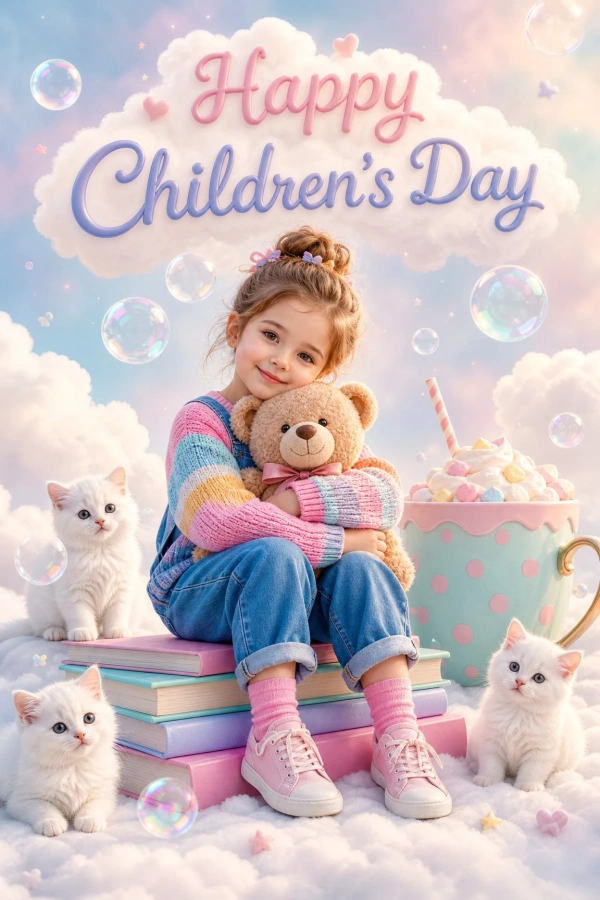
36 Children's Day Prompts: Create Photos, Cards, and Posters with AI
Children's Day is a celebration full of joy, laughter, and special moments that deserve to be captured in the most creative way possible.
With the help of AI, it is now easier to create original, personalized scenes for this special day, from kids' portraits and family photos to cards, posters, and social media posts. Just describe the idea you have in mind, and AI can turn it into a unique creation in seconds, whether you want a realistic, cartoon, anime, or artistic illustration style.
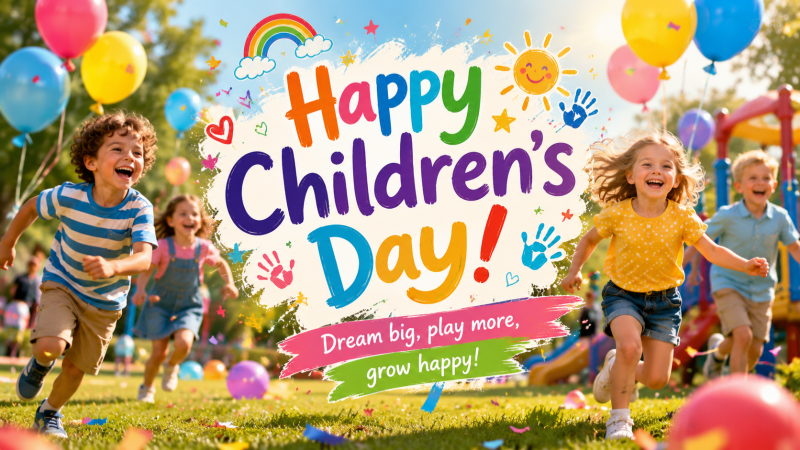
In this guide, you will find more than 30 ready-to-use Children's Day prompts that you can copy, customize, and use right away. Explore ideas for boys' and girls' photos, family scenes, festive designs, and social media content that can help you create colorful, playful memories with AI.
What Can You Create With Children's Day Prompts?
AI prompts for Children's Day make it much easier to create original images. You only need to describe the scene, style, or elements you want to include, and the AI image generator can produce different versions in seconds.
You can use these prompts to create personalized content for social media, family celebrations, school activities, or simply to save fun and creative memories.
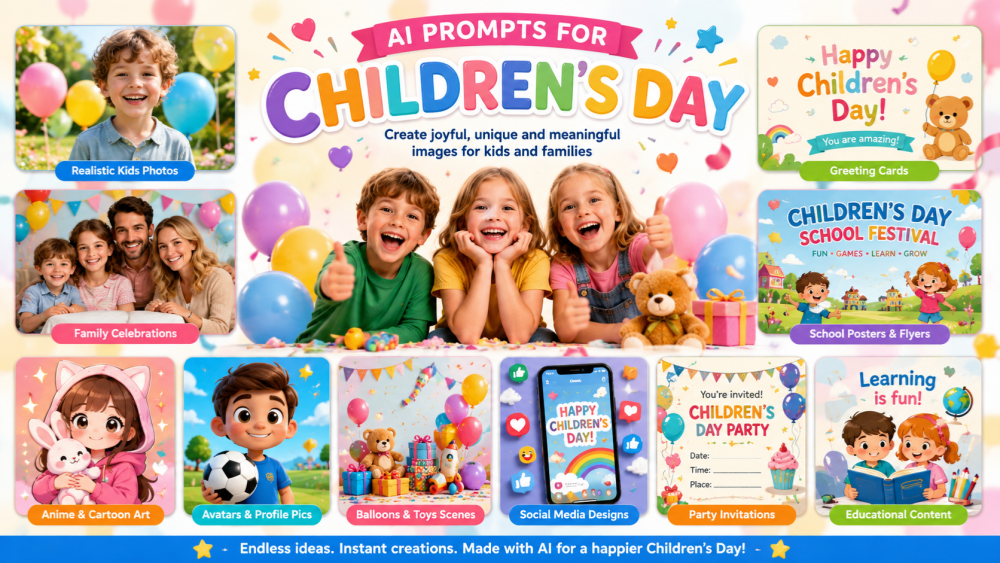
Here are a few ideas you can create:
- Realistic children's photos: portraits of boys and girls with natural expressions, soft lighting, and colorful backgrounds.
- Festive family portraits: scenes with parents, siblings, and grandparents celebrating Children's Day together.
- Custom greeting cards: sweet designs with special messages and festive decorations.
- School posters and flyers: images for events, activities, and celebrations at schools or daycare centers.
- Anime or cartoon-style drawings: child characters in kawaii, cartoon, chibi, or 3D illustration styles.
- Themed avatars and profile photos: creative images for social media and online communities.
- Colorful scenes with balloons and toys: compositions filled with confetti, candy, gifts, and festive details.
- Social media and WhatsApp designs: Instagram Stories, posts, banners, and personalized status images.
- Children's party invitations: playful designs for school celebrations and special events.
- Illustrated educational content: images for school activities and children's projects.
You can also try different art styles, such as realistic, anime, watercolor, or cartoon, and easily adjust the colors, lighting, and composition until the image matches what you have in mind.
36 Children's Day Prompts for Photos, Cards, and Posters
If you are not sure where to start, using ready-made prompts can help you create more attractive images quickly and easily.
Below, you will find more than 30 Children's Day prompts organized by category. There are ideas for kids' photos, family portraits, cards, posters, and social media posts in different styles, from realistic and cinematic to anime and cartoon.
You can copy any prompt as it is or customize details such as clothing, background, lighting, colors, or art style to get more creative and original results.
Prompts for Photos of Boys and Girls
Individual photos are one of the sweetest ways to celebrate Children's Day. From candid portraits to outdoor play scenes, these prompts help create images full of color, joy, and personality.
1Family Prompts for Children's Day
Children's Day is also a wonderful time to create family memories. Scenes with parents, siblings, or grandparents feel warmer and more emotional, especially when paired with festive decorations and natural expressions.
2Friends Prompts for Children's Day
Images with friends often feel more playful and natural. Games, laughter, gifts, school activities, or park scenes can become lively compositions full of movement and festive energy.
3Prompts for Children's Day Cards
A custom card can make any greeting feel more personal. With AI, you can create sweet, colorful designs that are easy to adapt for WhatsApp, Instagram, or digital messages.
4Prompts for Children's Day Posters
Children's Day posters often use bright colors, dynamic compositions, and space for titles or event details. These prompts work especially well for schools, children's celebrations, and promotional designs.
5Prompts for Children's Day Social Media Posts
Social media content needs to be direct, visual, and easy to share. Vertical Stories, colorful posts, and festive covers can help you create more eye-catching content for Instagram, TikTok, Facebook, or WhatsApp.
6Tips for Creating Better Children's Day Images With AI
Ready-made prompts help you create beautiful Children's Day images quickly. But if you want to fine-tune the visual style, add more detail, or get results with a more personal touch, you can also make a few small adjustments when writing your prompts.
The following tips can help you generate Children's Day images with AI that look more natural, have a more polished atmosphere, and fit different types of content.
Add More Details to Your Prompts
A strong Children's Day prompt usually works better when it clearly describes the scene, characters, and visual mood. The more relevant details you include, the easier it is to get coherent, appealing results.
You can include elements such as:
- Image type: realistic photo, digital card, school poster, Instagram Story, festive banner, or children's flyer.
- Main subject: a boy, a girl, a family, a group of friends, or a classroom.
- Festive elements: balloons, confetti, toys, candy, gifts, bunting, stars, or stuffed animals.
- Approximate age: baby, toddler, 5-year-old girl, elementary school group, or teenagers, depending on the image you want to create.
- Emotion or mood: joyful, sweet, playful, family-oriented, warm, or festive.
- Natural expressions: genuine smile, bright eyes, spontaneous happiness, or a candid-photo moment.
- Colors: cheerful, vibrant tones such as yellow, blue, pink, green, or orange to convey childlike energy.
- Visual style: realistic, anime, cartoon, watercolor, kawaii, 3D cartoon, or digital illustration.
- Lighting: natural light, warm lighting, soft studio light, or bright atmosphere.
- Visual quality: professional photography, high quality, sharp focus, and well-defined details.
A simple formula that often works well is:
image type + subject + scene + emotion + festive elements + style + lighting
For example:
A realistic photo of a girl celebrating Children's Day in a park with balloons and toys, natural smile, vivid colors, warm afternoon light, and a clean background.
Choose the Right Aspect Ratio for the Final Use
Before generating the image, think about where you will use it. A card, a school poster, and a social media post may all need different compositions.
- Vertical format: ideal for Stories, invitations, cards, and posters.
- Square format: works well for Instagram, avatars, and easy-to-share posts.
- Horizontal format: recommended for banners, covers, thumbnails, and backgrounds.
- Poster or A4 format: useful for school flyers and printed materials.
If you plan to add text later, try to leave clean space at the top, bottom, or center of the image. This will make the composition look cleaner and easier to adapt across different platforms.
Generate Several Versions Before Choosing One
The first image is not always the best one. Generating several versions lets you compare expressions, colors, composition, and visual style before deciding which result works best.
You can test small changes in the background, lighting, clothing, art style, format, or number of people. It can also be useful to create one realistic version and one illustrated version to compare the visual effect.
This type of testing often makes a big difference in Children's Day images, because small changes in colors, decorations, or expressions can make the scene feel much more joyful and natural.
How to Create Children's Day Photos and Images With AI
Once you know what kind of image you want to create, you can bring that idea into SeaArt AI and turn it into a Children's Day photo that is ready to share. You can start from a real image and give it a more festive atmosphere, or generate a completely new scene using only a prompt.
Step 1. Go to SeaArt AI, create an account, or log in to access the AI image generator.
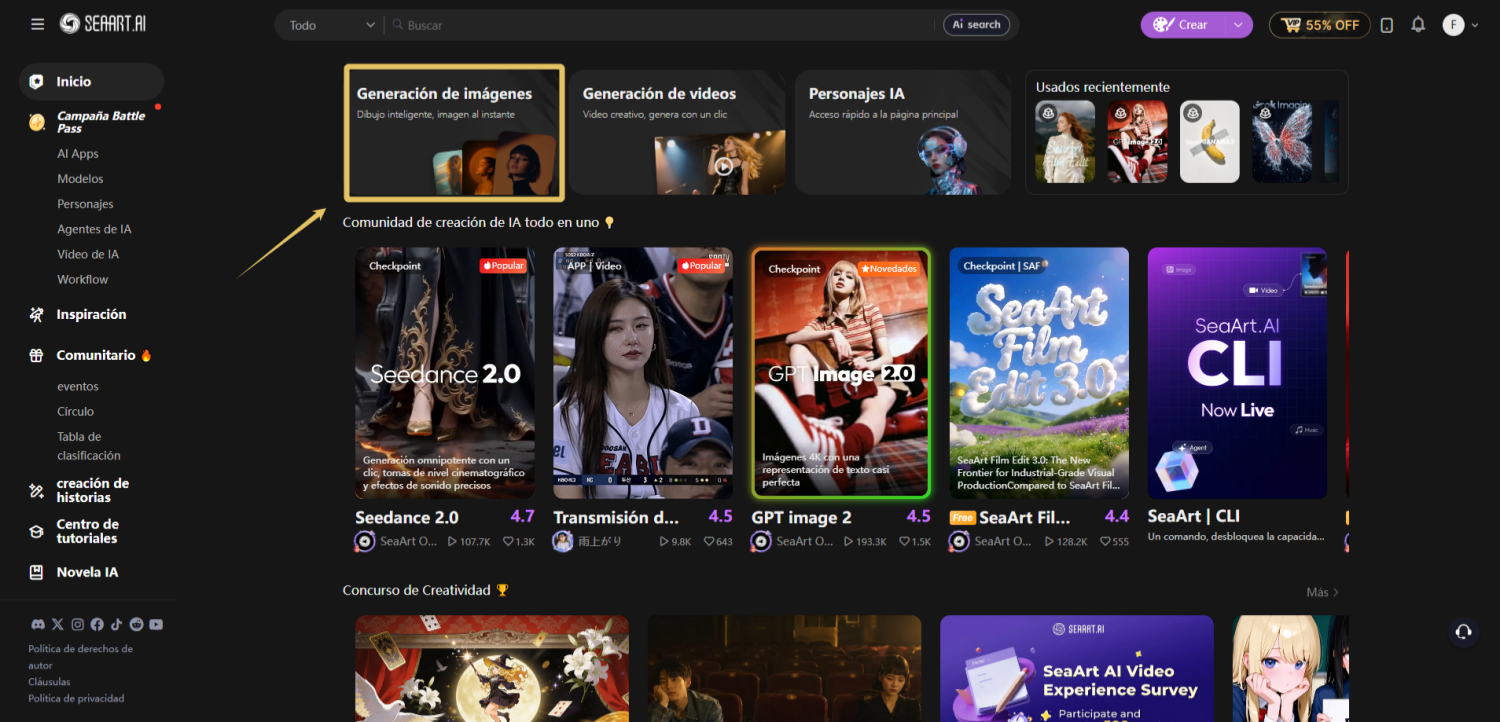
Step 2. Open the image generation feature and select GPT Image 2.0. This model works well for creating higher-quality Children's Day photos with natural expressions and varied styles, from realistic photos to illustrations and cartoons.
Step 3. Upload the image you want to transform or start from scratch by writing a prompt. You can also copy one of the examples above and personalize it with details such as balloons, toys, bright colors, children's clothing, or festive decorations to make the scene feel more cheerful and natural.
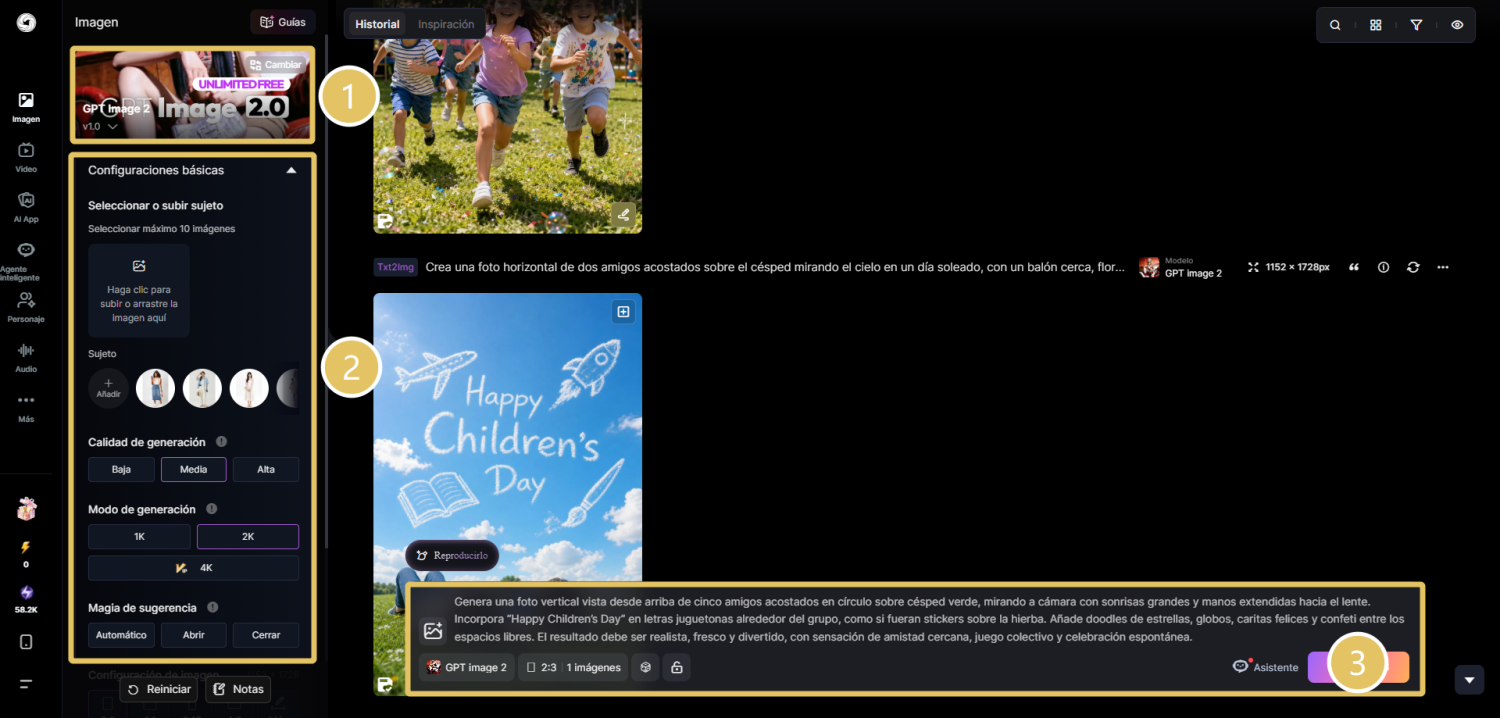
Step 4. Adjust the image size and aspect ratio based on where you plan to use it. When everything is ready, click generate to create the first version.
Step 5. When the image is ready, check whether the composition, lighting, expressions, and festive elements look natural and balanced. If you want to improve the result, try small changes to the prompt, background, or visual style, then generate new variations until you find the version that best fits your idea.
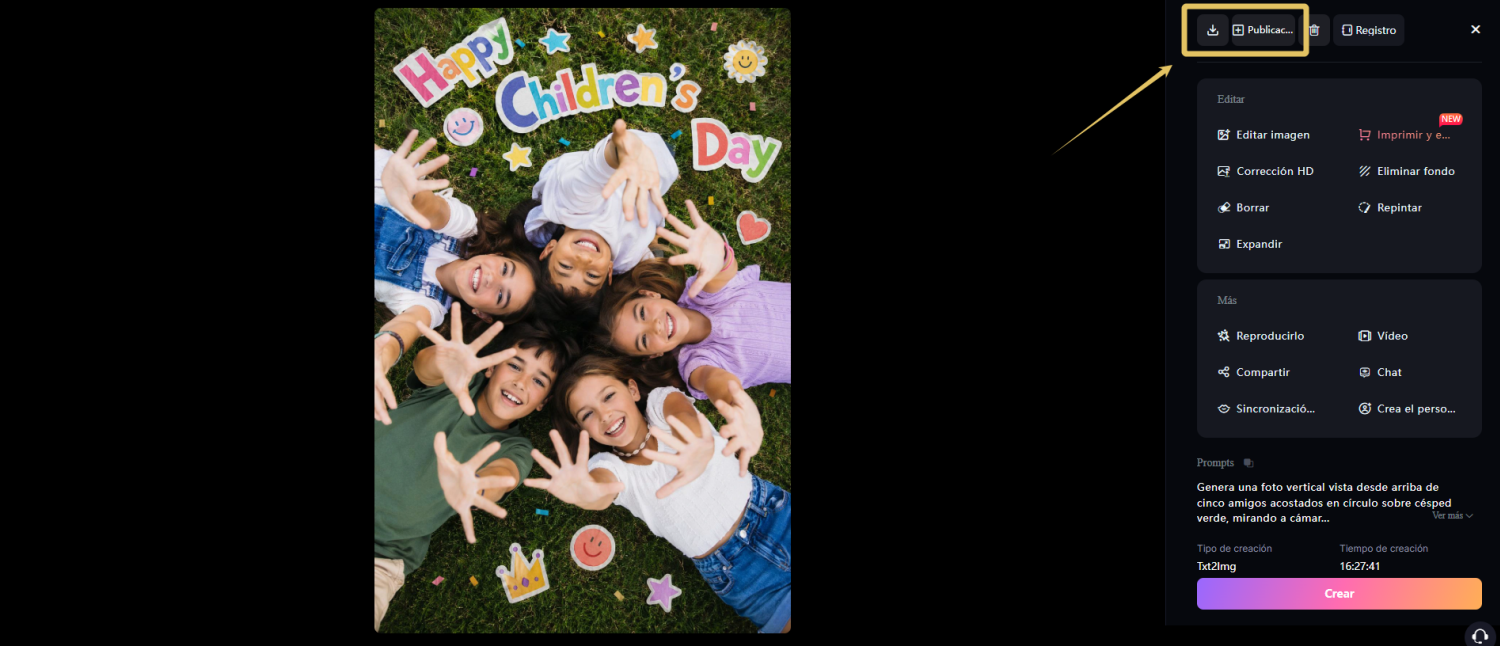
Conclusion
Children's Day images are not only useful for creating cards, posters, or social media posts. They are also a fun way to turn creative ideas into colorful memories full of joy and personality. From family scenes and children's portraits to cartoon or anime-style illustrations, Children's Day prompts can help you generate unique images in just a few seconds.
Copy the Children's Day prompts from this guide or customize them by changing details such as clothing, colors, background, or visual style. And if you already have an idea in mind, try it directly in SeaArt AI and start creating your own Children's Day images with AI.
Related Articles

20 ChatGPT Couple Photo Prompts to Create Romantic AI Images
25 Gemini Caricature Prompts: Create Free Viral AI Avatars
21 Gemini AI Family Photo Prompt Ideas for Warm, Natural Family Pictures

How to Create Professional Birthday Photos with AI: Complete Guide + 20 Prompts