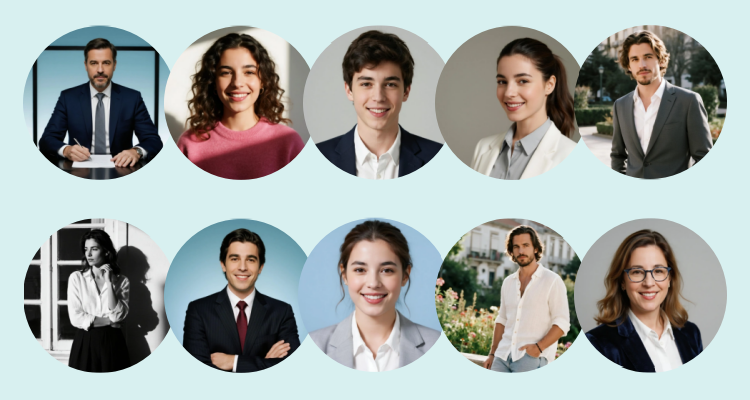
20 Gemini AI Prompts for Girls: Copy-Paste Ready Examples
Want professional-quality girl photos without hiring a photographer? AI image generators can create realistic portraits, editorial shots, and artistic illustrations in seconds. But here's the problem: most people write vague prompts and get disappointing results.
Prompts for Gemini AI girl photos are text descriptions you write to generate AI images of female portraits using Google's Gemini image models. The difference between a generic "pretty girl" and a magazine-quality portrait comes down to how you write these descriptions.
Gemini's people generation requires Gemini Advanced ($20/month) or SuperGrok subscription ($30/month). The base model uses Imagen 3 architecture, known for creating detailed high-quality images.
I've spent weeks testing different AI generators. Some prompts worked. Most didn't. But I found patterns that consistently deliver good results - and that's exactly what I'm sharing here.

In this article, you'll find a complete guide to create girl photos with AI, tips for writing effective prompts, and over 20 Gemini prompts for girl photos ready to copy and use. No fluff. Just proven prompts you can paste right now.
20 Best Gemini Prompts for Girl Photos (Copy & Paste)
I've organized these prompts by style: portraits, editorial, neon night, traditional clothing, and anime. Not all will work perfectly for every use case, but they're solid starting points you can adjust for your needs.
Prompts for Girl Portrait and Profile Photos
1. Professional Portrait ๐ฉโ๐ผโจ
Professional headshot portrait of a 25-year-old woman with confident yet friendly expression, natural makeup, polished hairstyle, business casual outfit in neutral tones (white blouse and blazer), clean plain background, soft studio lighting with softbox, sharp focus on eyes, realistic skin texture with high-quality finish, centered composition, modern corporate photography style

2. ID Photo ๐๐ธ
ID card / passport style photo of a 23-year-old woman, frontal composition, neutral expression, hair pulled back or neatly styled, minimal makeup, simple formal clothing, pure white background, even lighting without strong shadows, clear facial details, natural skin without excessive smoothing, high sharpness, official realistic photo style

3. Natural Social Media Avatar ๐๐ฟ
Close-up social media selfie of a 22-year-old woman with bright joyful smile, short curly dark hair, natural glowing skin, wearing white sleeveless linen shirt and gold hoop earrings, sitting on teal velvet couch against green wall, warm golden window light from side, shallow depth of field, candid friendly expression, realistic photography with natural skin texture, cozy home interior vibe

Prompts for Girl Photos with Editorial Style
4. Beach at Sunset ๐๏ธ
Realistic photographic portrait of a 24-year-old woman at the beach during golden hour, gentle breeze moving hair, flowing light dress, warm sunset tones, subtle backlight with lens flare, golden sky, blurred ocean background, cinematic composition, high definition, natural skin detail, editorial shoot look

5. Creative Beauty Editorial ๐๐น
Creative beauty editorial portrait of a 24-year-old woman with auburn curly hair styled with red roses, colorful gemstone decorations on cheeks and under eyes, vibrant crystal-adorned earrings, creative gem-studded nail art, hands framing face in playful pose, light blue studio background, soft even lighting, high color saturation, fashion beauty magazine style, sharp focus on makeup details and decorative elements, artistic glamour photography with whimsical aesthetic

6. Urban Street Style ๐๏ธ
Street style photo in modern city: a 23-year-old woman walking with confident attitude, urban trendy outfit, scene captured like a spontaneous moment, natural daylight, buildings and signs slightly blurred in background, dynamic composition, street editorial look, realistic detail in skin and clothes, high quality

7. Runway Backstage ๐
Backstage scene before runway: a 24-year-old model getting ready, stylists and makeup around, dramatic lights and show atmosphere, magazine aesthetic, cinematic tones, realistic texture, focus on model's face, background with subtle movement, high definition behind-the-scenes feel

8. Industrial Cinematic Style ๐ฌ
Cinematic editorial portrait of a 24-year-old woman leaning against vintage bronze muscle car in industrial garage, wearing black leather jacket, long flowing hair, dramatic window light streaming through tall industrial windows creating strong shadows, dark concrete walls, moody atmospheric lighting, shallow depth of field, film photography aesthetic with subtle grain, cinematic color grading with warm highlights and cool shadows, realistic skin texture, fashion editorial style

9. Modern Minimalist Portrait ๐ค
Minimalist editorial portrait of a 25-year-old woman in profile view, wearing black wide-brim fedora hat, olive green leather jacket, and black turtleneck, long straight black hair, standing against clean white wall with modern window frames, soft natural daylight creating gentle shadows, high-key lighting, side profile composition, contemporary fashion photography style, realistic skin texture, elegant timeless aesthetic with minimal background

10. Flower Field Fantasy Scene ๐ธ
Dreamy portrait of a 21-year-old woman in flower field, pastel colors, soft light and ethereal air, background with bokeh, light mist, delicate dress, elegant fantasy feel, realistic photography with fine detail, natural skin texture, romantic composition and editorial aesthetic

11. Elegant Girl on Luxurious Staircase ๐
25-year-old woman in elegant high-neck gown dress, standing on a majestic golden staircase. The central staircase rises to a landing, while side stairs ascend on both sides. Warm soft lighting, slight mist adding cinematic depth, skin with natural texture and sharp facial details, sense of luxury and sophistication

Prompts for Nighttime Girl Photos with Neon Style
12. Cyberpunk Neon Style ๐
Cyberpunk style night portrait of a 23-year-old woman on neon-lit street, magenta and blue colors, luminous signs, wet asphalt reflecting lights, futuristic outfit, cinematic composition, high contrast, realistic detail in face and hair, natural skin texture, ultra-high quality

13. Night Rain Reflections ๐ง๏ธ
Realistic night photo in rain: a 24-year-old woman with umbrella walking among city lights, reflections on wet ground, bokeh neon lights in background, cinematic lighting, depth of field, serene expression, skin with natural texture, intense but realistic colors, high definition

14. Cinematic Lighting ๐
Night portrait with cinematic lighting: a 26-year-old woman lit with rim light and strong shadows, dramatic atmosphere, dark background with soft lights, cinema color grading, sharp focus, realistic skin texture, elegant poster-style composition, high quality

Prompts for Female Photos with Traditional Clothing
15. Flamenco Dress ๐๐น
Realistic portrait of a 24-year-old woman in flamenco dress with ruffles and polka dots, flower in hair and traditional earrings. Andalusian atmosphere with warm light, elegant pose, visible textile detail, editorial photography with natural skin texture and high definition

16. Charro Suit ๐ค
Portrait of a 25-year-old woman in Mexican charro suit adapted to feminine version, short embroidered jacket and metallic details, traditional accessories, plaza or hacienda atmosphere. Warm natural light, vivid colors, realistic texture in fabric and skin, magazine-style composition, high quality

17. Puebla Skirt ๐
Mexican traditional portrait with colorful Puebla skirt and embroidery, white blouse and artisan accessories. A 23-year-old woman in a soft festive atmosphere (plaza, blurred papel picado), afternoon light, bright natural colors, textile and skin detail with realistic texture, high definition photography

Prompts for Girl Photos with Anime Style
18. Anime Style ๐ง
Anime style illustration of an 18-year-old girl with large expressive eyes, detailed hair, soft colors, clean shading and fine lineart, simple pleasant background, portrait composition, modern kawaii aesthetic, high quality and sharp details

19. Disney / Pixar ๐ฐ
Disney or Pixar style 3D portrait of an 18-year-old girl with long hair, large eyes and friendly expression, warm soft lighting, polished skin and hair with natural detail, cinematic composition with colorful harmonious tones, high-quality render

๐ก Pro Tip: Want instant Disney-style transformation? Try SeaArt's Disney Filter to turn any photo into Disney character style with one click.
20. Watercolor Illustration ๐จ
Watercolor illustration of a 19-year-old girl with delicate features, soft color washes, visible paper texture, pastel palette, calm atmosphere, artistic detail in hair and face, portrait composition, illustrated editorial style, high quality

How to Write Effective Gemini Prompts for Girl Photos
Didn't find what you need in those 20 prompts? No problem. Here's how to write your own.
A good prompt for girl photos doesn't need to be long or complicated. Just be specific. The following structure works for portraits, photo shoots, and social media content, even if you have no prior experience.
Universal Prompt Formula for Girl Photos
Subject + Scene + Photography + Lighting + Texture + Style + Negative
You can understand it as: who appears in the image, where they are, how the photo is taken, what type of lighting is used, how realistic it looks, and what style it conveys.
When these elements are well-defined, AI usually generates much more coherent and stable results.
- Subject: Clearly define the central figure of the image, including age, personality, hairstyle, makeup, and clothing. The clearer it is, the more stable the result will be, like: "25-year-old woman with long hair and white dress".
- Scene: Describe the environment and atmosphere of the shot, which helps make the image look more realistic, like "By the window at sunset, minimalist indoor environment".
- Photography: Briefly indicate the type of shot and composition so the image looks more natural and less "artificial", like "Close-up, shallow depth of field, subject centered".
- Lighting: Lighting directly affects the visual quality of the image. For beginners, soft natural light descriptions are recommended, like "Soft natural light" or "Studio lighting with softbox".
- Texture: Highlights skin details and realistic feeling of the image, avoiding plastic effects or excessive smoothing, like "Natural skin texture, smooth and soft".
- Style: Defines the overall visual direction of the image, making it easier to obtain coherent results, like "Magazine style, fashion shoot look" or "Japanese style, soft warm tones".
- Negative Words: Used to indicate what is not desired and avoid common generation errors, like "Deformed hands, distorted face, blurry, low resolution, watermarks".
Keep it simple. I've tested prompts from 10 to 150 words. The sweet spot? Around 30-50 words with clear subject, scene, and lighting.
Quick tips:
- Use camera terms like "85mm portrait lens" or "golden hour backlight" for better results
- Don't mix incompatible styles (pick either "realistic" OR "anime", not both)
- Generate 4-6 variations, pick the best, then tweak ONE thing at a time
How to Create Professional Girl Photos with AI
SeaArt AI is a powerful multimodal AI creation platform designed for both creators and casual users. The platform offers over 1 million models and style customization features, allowing you to generate high-quality images effortlessly. SeaArt AI supports two generation modes: Text-to-Image and Image-to-Image.
Text-to-Image: Generate female characters from scratch without prior photos. Just write a detailed prompt.
Image-to-Image: Create photos or stylize images based on an existing photo, maintaining the subject's characteristics. Use SeaArt Film Edit or Nano Banana Pro model for transforming your own photos into professional portraits.
Complete Guide to Generate Girl Photos with SeaArt AI
Step 1: Register and log in to SeaArt AI. Users receive 130 free energy daily.

Step 2: Enter the image generation function and select your preferred AI model. For creating from scratch, use SeaArt Film V2 model.

Step 3: Upload image (optional). If you want to turn your own photo into a professional portrait, use SeaArt Film Edit or Nano Banana Pro model.
Step 4: Enter your prompt with details about subject, scene, photography, lighting, texture, and style.
Step 5: Adjust image resolution based on usage needs.

Step 6: Generate and download your image.

Understanding AI Image Models: Gemini vs SeaArt Architecture
Before diving into prompts, it helps to understand why certain descriptions work better than others.
Gemini uses Imagen 3 architecture, which excels at understanding natural language descriptions. The model was trained on diverse image-text pairs, meaning it responds well to photography terminology like "golden hour", "shallow depth of field", or "soft studio lighting".
SeaArt models (like Film Edit and Film V2) are built on FLUX.1 and Stable Diffusion architectures. These models are fine-tuned specifically for photorealistic portraits, which is why they handle skin texture and facial details better than general-purpose models.
Key difference: Gemini interprets prompts more flexibly but may produce varied results. SeaArt models are more consistent for portrait work but require more specific technical terms in prompts.
When to use which:
- Use Gemini when you want creative variations and don't need exact control over every detail
- Use SeaArt Film Edit when you have a reference photo and need to maintain facial features
- Use SeaArt Film V2 when creating from scratch and need photorealistic quality
Common Mistakes to Avoid
Too vague: "Pretty girl" โ AI guesses everything. Be specific: "22-year-old woman, cream sweater, soft window light"
Too many details: Listing 10+ elements confuses the AI. Stick to 3-4 core elements.
Wrong aspect ratio: Headshots work best in 4:5 (vertical). Full-body shots need 9:16. Social media posts use 1:1 (square).
AI limitations: Hands often look weird - crop them out or use "hands behind back". Text in images rarely works - add it later in editing. For specific faces, use Image-to-Image mode with a reference photo instead of text descriptions.
FAQs about AI Girl Photos
1. How can I make the AI-generated image preserve facial features?
To make the generated image look as similar as possible to the original person, it's recommended to use Image-to-Image mode with the SeaArt Film Edit model, and upload a clear reference photo, frontal and with good lighting. In the prompt, include instructions like "maintain facial consistency" or "preserve facial features", so that AI respects the face's identity and reduces any unwanted changes.
2. Which SeaArt AI model is best for generating realistic girl photos?
I'd recommend the SeaArt Film Edit model for realistic portraits from reference photos. It maintains facial features, expression, and face details better than most alternatives. That said, if you're creating from scratch (no reference photo), try SeaArt Film V2 instead.
3. Is it safe to upload my photos to SeaArt AI?
Yes, SeaArt AI protects the privacy of your photos. The images you upload are used only to generate the requested results and are kept privately and securely within the platform. The platform has security protocols and cloud storage that guarantee your data is protected while you work with AI.
Conclusion
AI offers many possibilities for creating girl photos, from clean portraits to shoots with special atmosphere or magazine-style images.
Here's the thing: results vary. Some prompts work better with certain models. Some styles need more tweaking than others. But with the 20 prompts above as your starting point, you can experiment and find what works for your specific needs. Copy them. Modify them. Make them your own.