Generate
History
Private Creation
Details
91
30
2026-01-24 13:13:12 Update
You can add your "self-made logo" to static images.
(The logo must be an image)
🟧 Logo Long Side Size
If the logo image is horizontal, specify the width; if vertical, specify the height. The aspect ratio will be maintained.
🟧 Logo Color
Select the color to apply to the logo.
🟧 Opacity
-1 is (specify -1 as 0 cannot be used)
255 is full color
※ Please do not use 0 as it will cause an error.
🟧 Display Position
The upper-left corner of the base image is coordinate X:0, Y:0.
(※ Since 0 causes an error, please enter -1 instead of 0)
X is the horizontal position (left/right)
Y is the vertical position (up/down)
【Important】
When uploading to the image loader, it's better to upload a downloaded file to avoid automatic resizing. Uploading from "Personal Works" often results in shrinkage. The loader also reduces the long side to 1280px. Please calculate X and Y assuming the long side is 1280px even if the original is larger.
🟧 Resize
If you want to scale the final output, turn this ON and set the long side size.
🟧 How to Create Your Own Logo
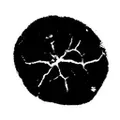
Create the parts to be displayed in pure white (HEX #FFFFFF / RGB 255,255,255)
Create the parts to be hidden in pure black (HEX #000000 / RGB 0,0,0)
It's convenient to make a general-purpose logo with a long side of 1000px.
Please let us know if there are any issues m(__)m
【Caution】
Using logos of others or companies to mislead is illegal. Please use it correctly as your own mark or form of expression.

No data available