Seedance 1.5 Pro vs Wan 2.6: Which AI Video Model Fits Your Workflow?
If you're deciding between Seedance 1.5 Pro vs Wan 2.6, this review compares both models on verified specs (resolution, duration, audio-visual sync with spatial sound, text rendering), key quality factors (motion stability, cinematic control, multi-language/dialect support, narrative auto-completion), and real-world fit for film-style storytelling, short dramas, micro-dramas, branded content, product demos, and localized campaigns—so you can pick the model that gives you the fewest retries for your workflow.
You can try Wan 2.6 on SeaArt AI here: Wan 2.6 model page.

Intro: The Fast Answer
Quick Verdict: Both models support native audio-visual sync. Seedance 1.5 Pro excels at cinematic camera control, multi-language/dialect support with spatial sound effects, narrative auto-completion, and physics-accurate motion (5–10 seconds). Wan 2.6 stands out with longer duration (up to 15 seconds), text rendering, and reference-based character consistency. Your choice depends on whether you prioritize cinematic control and intelligent storytelling, or longer clips with text elements.
What This Review Covers: Feature comparison, strengths and limitations, decision matrix by use case, and scenario-based FAQ.
Quick Comparison Table
How to read this: This is a value-first comparison: what you can create, what it’s good for, and what tradeoffs to expect.
| Feature | Seedance 1.5 Pro | Wan 2.6 |
|---|---|---|
| Resolution options | 480p / 720p / 1080p | 720p / 1080p |
| Max clip duration | 5–10 seconds | 5 / 10 / 15 seconds |
| Multi-shot storytelling | Native multi-shot generation | Multi-shot narrative with subject consistency across cuts |
| Camera control | Cinematic camera movements (close-ups, aerials, tracking, handheld) | Multi-shot intelligent scheduling |
| Motion realism | Physics-accurate motion simulation | Audio-visual sync + multi-person dialogue stability |
| Audio | Native audio-visual sync with multi-language support (Chinese, English, Japanese, Korean, Spanish, Indonesian) and dialect variants (Sichuan, Taiwan Mandarin, Cantonese, Shanghainese, etc.) + spatial sound effects | Native audio-visual sync generation (auto-generate or custom audio input) |
| Reference-based creation | Image-to-video | Reference character/object generation with consistency |
| Text rendering | Not highlighted | Text-image integrated understanding with texture expression |
Best-fit by audience:
- Beginner/Hobbyist: Start with Wan 2.6 if you need longer clips (15s) with text elements. Choose Seedance 1.5 Pro if you want cinematic camera work, multi-language/dialect voiceovers with spatial sound, and intelligent narrative auto-completion.
- Content Creator (Shorts/Reels/Micro-Dramas): Seedance 1.5 Pro's cinematic camera control, narrative auto-completion, and physics-accurate motion deliver polished, film-style clips for storytelling, short dramas, and narrative content with emotional coherence.
- Business/Marketing: Wan 2.6's text rendering and longer duration (15s) make it ideal for product demos, branded content, and ads requiring clear text messaging.
What "Good" Looks Like in AI Video
Motion Stability
Most AI video demos look great in the first second. The problems show up when motion stacks: hands drift or merge, faces lose identity during turns, and backgrounds "swim" while the subject moves. If a model stays stable during fast movement + camera motion, it's usually solid for most creator work.
Prompt Adherence
Prompt adherence isn't about poetic prompts. It's simple: if you ask for "a product shot with a slow push-in," do you actually get a slow push-in? If you ask for "two characters," do you get two characters the whole time? When adherence is weak, you spend credits re-rolling instead of creating.
Controls You'll Actually Use
For creators, the most useful controls are the boring ones: resolution and aspect ratio, a clear way to switch between text-to-video vs image-to-video, and a predictable place to adjust settings before generating. That's why platform workflow matters as much as model claims.
If you're reviewing models objectively, write down the controls you can confirm on day one:
- What resolutions are selectable?
- What aspect ratios are selectable?
- Is there a clear "mode switch" (text vs image input), or do you have to change workflows?
- Can you reuse a saved preset, or are you rebuilding settings every time?
These are small UX details, but they directly affect your daily workflow efficiency.
Seedance 1.5 Pro: Strengths and Limitations
What Seedance 1.5 Pro Does Well
- Native audio-visual sync with spatial sound: Generates video with synchronized audio in one pass, supporting multiple languages (Chinese, English, Japanese, Korean, Spanish, Indonesian) and dialect variants (Sichuan, Taiwan Mandarin, Cantonese, Shanghainese, etc.) with natural voicing, lip-sync accuracy, and spatial sound effects that coordinate with visuals.
- Intelligent narrative auto-completion: Automatically fills in narrative details based on prompt intent, maintaining cohesive storytelling across characters' emotions, expressions, and actions—ideal for short dramas, micro-dramas, and social media content.
- Clear resolution control: Offers 480p, 720p, and 1080p options with a Pro/Lite split for quality vs speed tradeoffs.
- Physics-accurate motion: Handles complex motion scenarios like hair dynamics, fluid behaviors, and material interactions with structural stability.
- Cinematic camera movements: Supports advanced techniques like long-take tracking, Hitchcock zoom, and seamless shot transitions for cinematic storytelling.
- Multi-shot generation: Creates cohesive narrative videos with multiple shots while maintaining subject consistency across transitions.
Where It Falls Short
- Shorter clip duration: Maxes out at 5–10 seconds, which limits full mini-stories or multi-beat scenes compared to Wan 2.6's 15-second maximum.
- Limited text rendering: Not optimized for generating clear, readable text within video frames (product labels, signage, etc.)—a key differentiator where Wan 2.6 excels.
- Motion stability improvement needed: While physics-accurate, the model's motion stability in highly dynamic scenes (fast action, rapid camera movements) still has room for improvement according to official evaluations.
Best for: Creators who prioritize cinematic camera control, multi-language/dialect voiceovers, and physics-accurate motion for short-form content (5–10 seconds), narrative storytelling, micro-dramas, short dramas, and professional film-style clips.

Figure 1 Overview of training and inference pipeline of Seedance 1.5 pro.
Wan 2.6: Strengths and Limitations
What Wan 2.6 Does Well
- Longer clip duration: Supports up to 15 seconds, giving you more room for complete story arcs and multi-beat scenes.
- Native audio-visual sync: Generates video with sound in one pass (auto-generate or custom audio input), eliminating the need for separate audio editing.
- Text rendering capability: Excels at rendering clear, readable text within video frames—ideal for product packaging, signage, and branded content.
- Multi-shot narrative: Maintains subject consistency across shot transitions with intelligent scheduling.
- Reference character/object generation: Allows you to use reference images for consistent characters or products across multiple clips.
Where It Falls Short
- Less emphasis on physics-accurate motion: Prioritizes audio-visual sync and multi-person dialogue stability over fine-grained motion physics—may not be ideal for complex action scenes or sports content.
- No explicit Pro/Lite split: Unlike Seedance's clear quality-vs-speed tradeoff options, Wan 2.6 doesn't offer a "fast mode" for rapid iteration.
Best for: Creators who need longer clips (up to 15 seconds), clear text rendering for branded content, and reference-based character consistency across multiple videos.

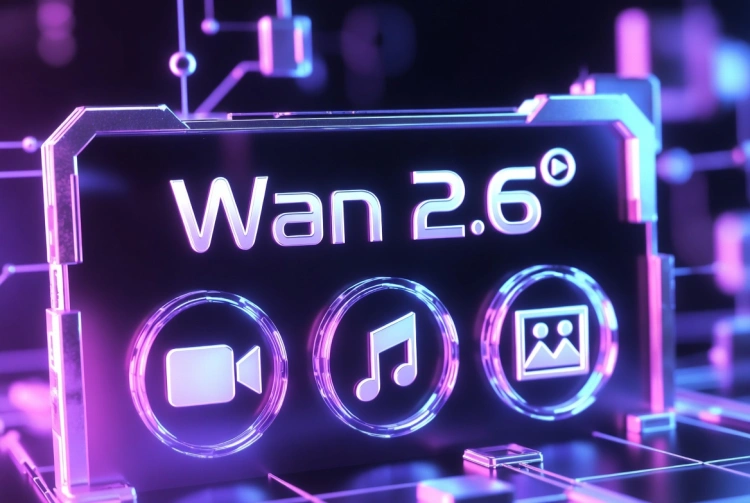
Figure 2. Wan 2.6 key features: 15s duration, audio sync, text rendering, character reference, and multi-shot control.
How to Get the Best Results
Getting the Most from Seedance 1.5 Pro
- Choose Your Mode: Select Text-to-Video for fresh concepts or Image-to-Video to animate existing assets.
- Pick Your Quality Tier: Use Seedance 1.5 Pro for smooth, stable motion (ideal for final output) or Seedance 1.5 Lite for faster iteration during prototyping.
- Set Resolution Based on Use Case: Choose 1080p for high-quality output, 720p for balanced quality-speed, or 480p for rapid testing.
- Leverage Multi-Language Audio with Spatial Sound: Specify language or dialect in your prompt (e.g., "character speaks in Taiwan Mandarin," "Cantonese voiceover with comedic tone," "Shanghainese dialect") to take advantage of native multi-language support, accurate lip-sync, and spatial sound effects that coordinate with visuals.
- Use Narrative Auto-Completion: For short dramas and micro-dramas, provide high-level story intent in your prompt (e.g., "a romantic confession scene at a summer festival") and let the model auto-fill emotional beats, character expressions, and action details for cohesive storytelling.
- Write Cinematic Prompts: Describe advanced camera movements explicitly (e.g., "long-take tracking shot," "Hitchcock zoom effect," "handheld camera with shallow depth of field") and specify motion details (e.g., "character turns head slowly with emotional expression").
- Keep Clips Short: Aim for 5–10 seconds per clip. For longer content, generate multiple clips and stitch them together in post-production.
Getting the Most from Wan 2.6
- Select Your Mode: Choose Text-to-Video for fresh concepts or Image-to-Video to animate existing assets. For consistent characters, use Reference-to-Video mode.
- Prompt for Narrative: Instead of a single image description, describe a sequence with scene transitions (e.g., "A cyberpunk detective walks down a rainy street, turning to look at a neon sign, camera zooms in on his face").
- Add References for Consistency: Use the Reference Character/Object input to upload character sheets or style guides to ensure your protagonist looks the same across multiple clips.
- Leverage Audio-Visual Sync: If you want video + sound in one pass, enable auto-generate audio or upload custom audio files (music, voiceovers) for synchronized output.
- Use Text Rendering for Branding: When creating product videos or branded content, include text elements in your prompt (e.g., "product label reads 'Coffee Shop'") to take advantage of Wan 2.6's text-image integrated understanding.
- Maximize Duration: Generate up to 15 seconds per clip for complete story arcs. For longer content, stitch multiple 15-second clips together.
Which One Should You Choose?
| Your Priority | Recommended Model | Why |
|---|---|---|
| Short-form content (Shorts, Reels, TikTok) | Seedance 1.5 Pro | Physics-accurate motion and cinematic camera control deliver polished, professional-looking clips in 5–10 seconds. |
| Product demos with branding | Wan 2.6 | Text rendering capability ensures product labels, logos, and signage appear clear and readable. |
| Longer narrative clips (10s+) | Wan 2.6 | Supports up to 15 seconds per clip, ideal for complete story arcs with multiple beats and scene transitions. |
| Fast prototyping | Seedance 1.5 Pro | 480p option and Lite mode enable rapid iteration without sacrificing too much quality. |
| Consistent characters across clips | Wan 2.6 | Reference character/object generation maintains identity and style across multiple videos. |
| Cinematic camera work | Seedance 1.5 Pro | Explicit support for aerials, tracking shots, Hitchcock zoom, and handheld styles gives you more creative control. |
| Multi-language or dialect voiceovers | Seedance 1.5 Pro | Supports 6+ languages (Chinese, English, Japanese, Korean, Spanish, Indonesian) and dialect variants (Sichuan, Taiwan Mandarin, Cantonese, Shanghainese, etc.) with natural voicing and spatial sound effects. |
| Short dramas or micro-dramas | Seedance 1.5 Pro | Narrative auto-completion intelligently fills in story details based on prompt intent, maintaining emotional coherence across characters and scenes. |

Figure 3. Model selection by priority: Seedance 1.5 Pro for short-form content, Wan 2.6 for product demos and story clips.
FAQ
Which model is better for product videos with text (like labels or packaging)?
Wan 2.6. Its text-image integrated understanding renders clear, readable text within video frames—essential for product packaging, signage, and branded content. Seedance 1.5 Pro doesn't emphasize this capability.
Can I generate videos longer than 15 seconds?
Not with either model in their current versions. Seedance 1.5 Pro maxes out at 5–10 seconds, and Wan 2.6 supports up to 15 seconds. For longer content, you'll need to stitch multiple clips together in post-production.
Which model handles fast motion better (like sports or dancing)?
Seedance 1.5 Pro prioritizes physics-accurate motion and complex scenarios like hair dynamics, fluid behaviors, and material interactions. However, official evaluations note that its motion stability in highly dynamic scenes (fast action, rapid camera movements) still has room for improvement. Wan 2.6 prioritizes audio-visual sync and multi-person dialogue stability over fine-grained motion physics.
Can I use my own images as references for consistent characters?
Yes, with Wan 2.6. Its reference character/object generation feature lets you upload reference images to maintain consistent characters or products across multiple clips. Seedance 1.5 Pro supports image-to-video but doesn't emphasize reference-based consistency in the same way.
Where can I try Wan 2.6?
Wan 2.6 is available on SeaArt AI. You can also explore other AI video tools on the AI video generator hub.
Are there other AI video model comparisons I can read?
Yes. Check out this related comparison: Wan 2.6 vs Veo 3.1.
Conclusion
Both models support native audio-visual sync, so your choice comes down to specific feature priorities rather than audio capability.
Seedance 1.5 Pro excels at cinematic camera control (long-take tracking, Hitchcock zoom, seamless transitions), multi-language and dialect support (6+ languages including Sichuan, Taiwan Mandarin, Cantonese, Shanghainese) with spatial sound effects, narrative auto-completion for intelligent storytelling, and physics-accurate motion—ideal for film-style storytelling, short dramas, micro-dramas, localized content, and narrative shorts (5–10 seconds). Its Pro/Lite split and resolution options (480p/720p/1080p) give you flexibility for rapid prototyping or high-quality output.
Wan 2.6 stands out with longer clip duration (up to 15 seconds), text rendering capability, and reference-based character consistency—perfect for branded content with readable text elements, product demos, and multi-clip campaigns requiring consistent characters.
The right choice depends on your priority: if you need cinematic control, multi-language voiceovers with spatial sound, intelligent narrative completion, and film-style motion, Seedance 1.5 Pro is the better fit. If you prioritize longer clips, text rendering, and character consistency, Wan 2.6 delivers complete outputs in one pass.
Explore more AI video tools and comparisons on the SeaArt platform.