Generate
History
Private Creation
Details
160
40
2026-02-21 10:00:24 Update
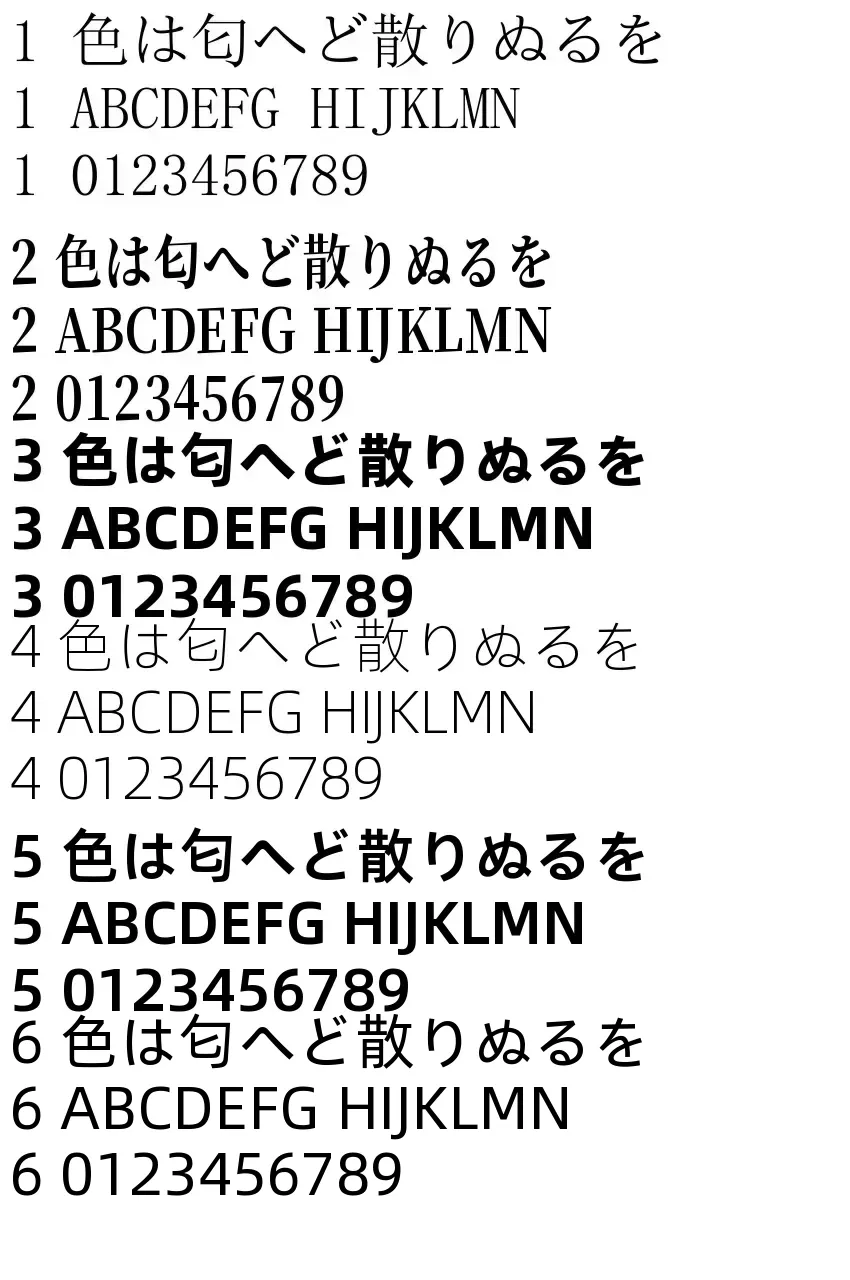
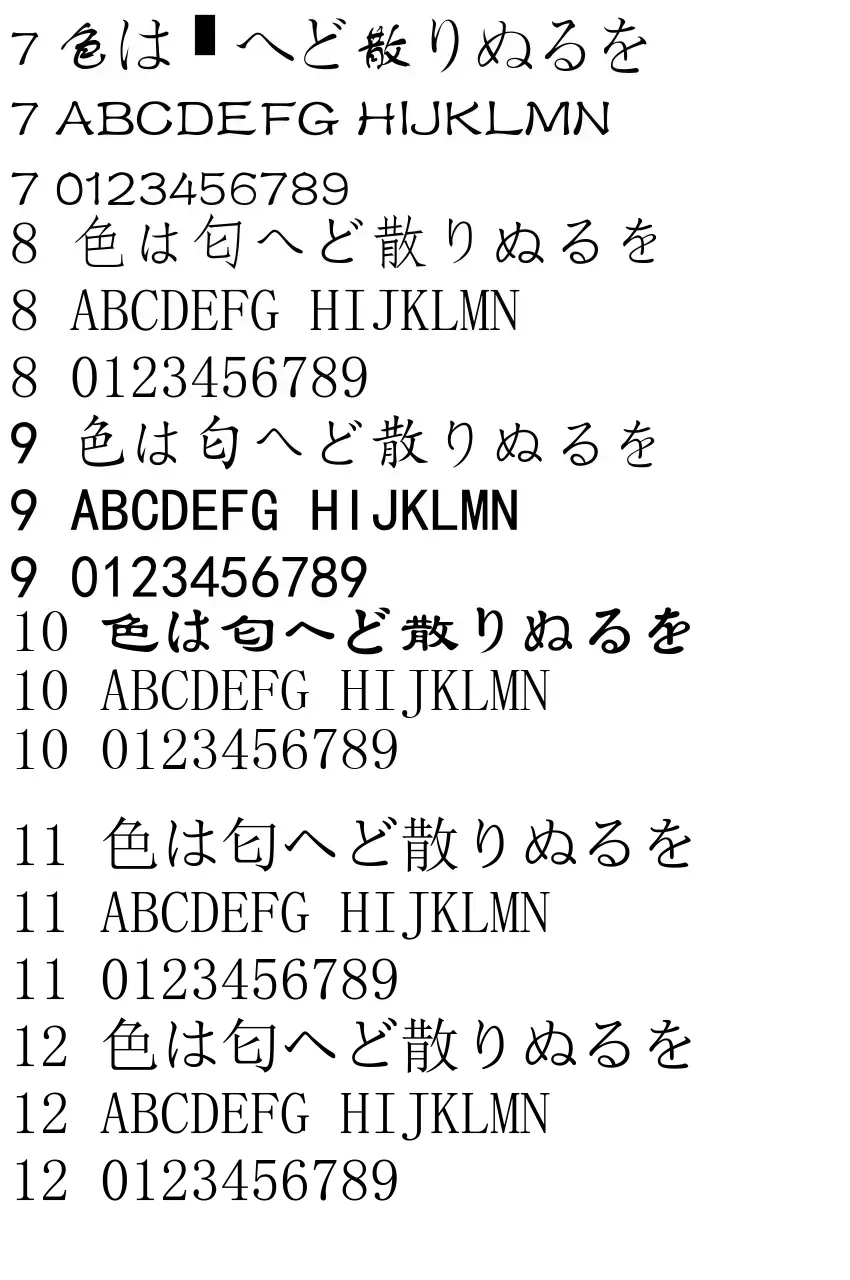
Adds subtitles to the bottom of the video.
🟪Bottom alignment options: [Center / Left-aligned].
🟪Up to 3 scenes can be added by specifying frames.
Overlap in the same frame is possible, but characters will overlap unless you change the "line."
Since spaces and line breaks are supported, you can also write horizontally near the top.
🟪All 3 scenes use the same font (size, color, opacity).
🟪Fade
A fade effect can be applied to the subtitles.
If applied, specify the duration in seconds.
🟪For details, see the article:
https://www.seaart.ai/ja/articleDetail/d5rjqlde878c73ahljvg
🟥About specifying frames
Since SeaArt videos are short, specifying by seconds can result in large discrepancies. Therefore, frame number specification is used for precision.
You can find FPS and duration in the file details on Windows.
If it's too much trouble, use the "Information Acquisition AI App."
【Reference】
FPS 16
0s: 1
1s: 16...
FPS 24
0s: 1
1s: 24...
FPS 30 is seconds x 30
🟥Pro tip? Overlapping frames
Although aligned to the bottom, line breaks work, allowing multiple lines to be displayed.
For example:
1st: Add line breaks to position higher, from frame 30 to the end;
2nd: Position slightly lower, from frame 90 to the end;
3rd: Position even lower, from frame 120 to the end.
In this way, you can create an effect where text information increases line by line.

No data available

Rex.
274
86.8K

Explore Related