
AI Soccer Poster Prompt: Create Soccer Posters for Matches and Fan Posts
When a World Cup, league final, derby, or weekend match gets close, many fans want a custom soccer poster for social posts, watch parties, group chats, or pre-match hype. A strong match visual can make the whole game feel bigger, especially when the design matches the team mood, stadium energy, and fan atmosphere.
Fan visuals are not only about official campaign images. Plenty of creators want to make their own version of a soccer poster: a cinematic player portrait, a matchday graphic, a football club poster, or a national team-style design for personal use. That is where AI image generation is useful. With SeaArt AI, you can guide the color palette, composition, player style, stadium background, and poster mood through a detailed AI Soccer Poster Prompt.
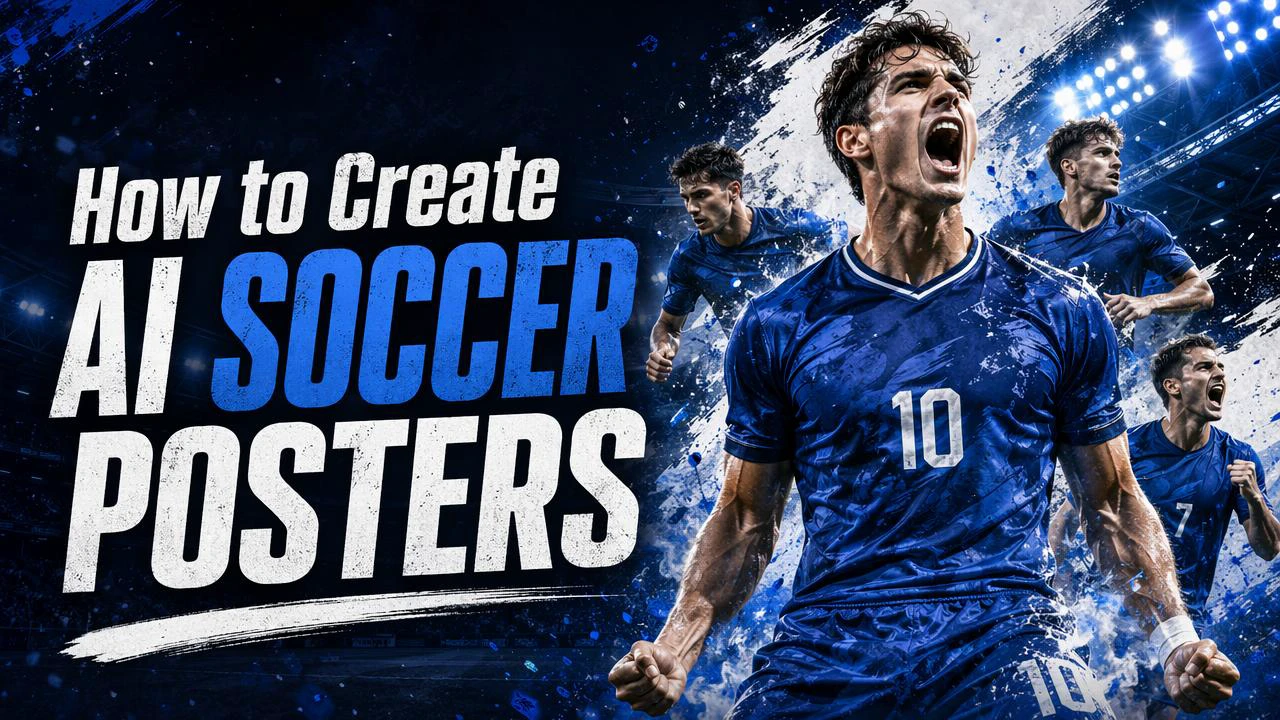
This guide shows how to create a soccer poster with SeaArt AI and shares ready-to-copy prompts for match posters, football portraits, mobile wallpapers, team collages, and animated fan graphics. The steps are simple enough for beginners, while the prompt examples give advanced creators enough detail to adjust lighting, layout, kit design, and poster style.
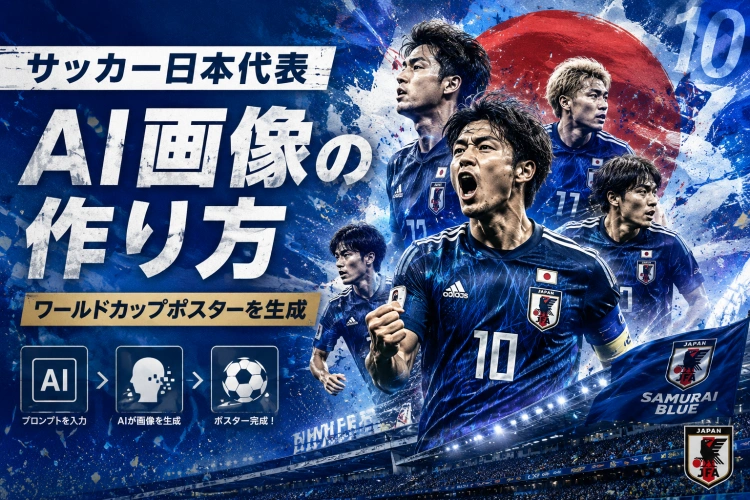
How to Create a World Cup-Style Soccer Poster with SeaArt AI
Here is the basic workflow for creating a football match poster in SeaArt AI. The process is straightforward: open the image generator, choose the model and size, paste a prompt, then generate the image.
You do not need to adjust many technical settings at first. If your prompt clearly describes the player, kit colors, stadium, lighting, and poster format, SeaArt AI can create a soccer poster that works well for social media, fan posts, and matchday graphics.
Step 1: Open SeaArt AI and Go to Image Generation
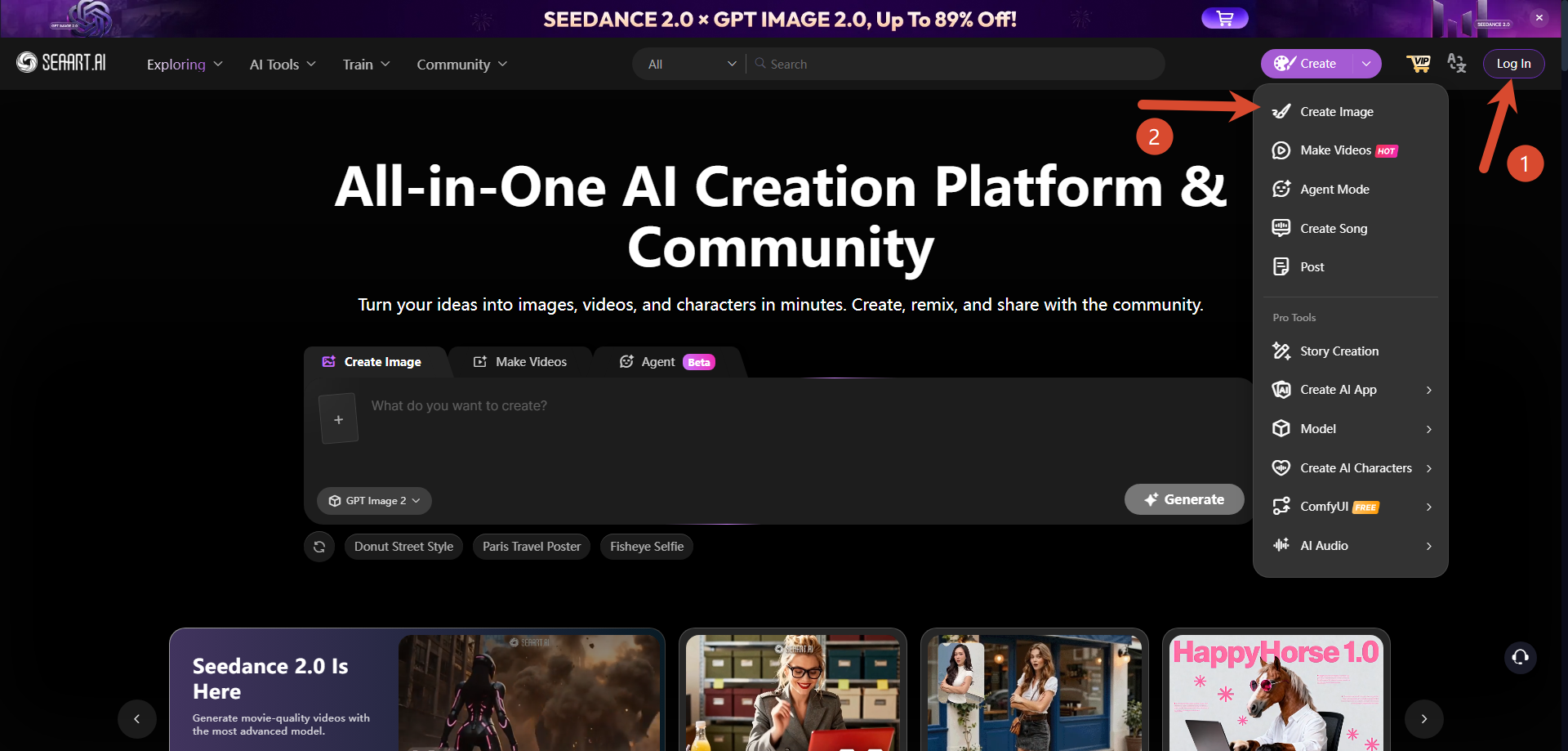
First, open SeaArt AI and sign in or create an account. After logging in, go to the image generation page.
After signing in, check your available stamina or generation credits in your account. Image generation uses credits, so it is worth confirming your balance before creating several soccer poster variations.
Step 2: Choose the Model and Poster Size
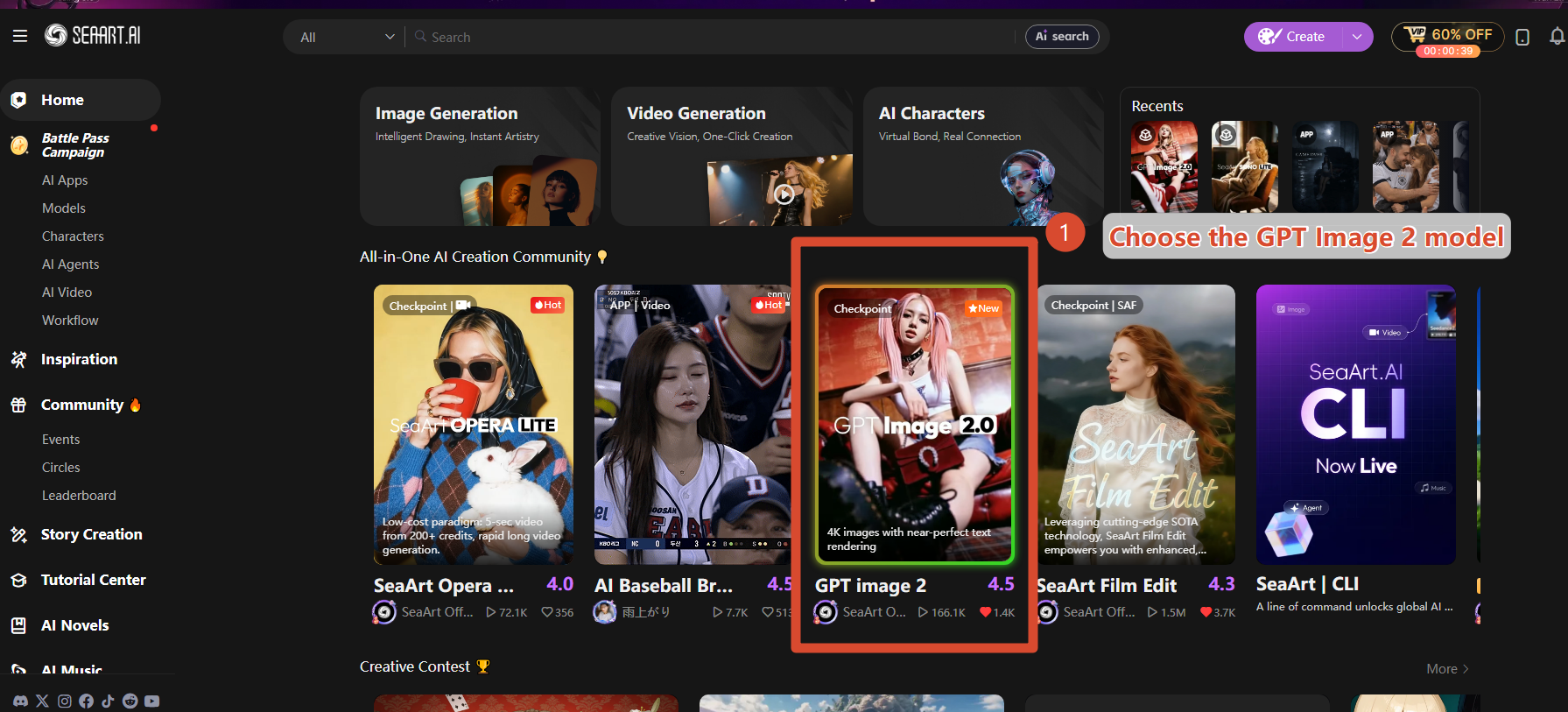
Next, choose the model you want to use. For soccer posters that need clear composition, realistic faces, and clean poster layouts, GPT Image 2 is a good option.
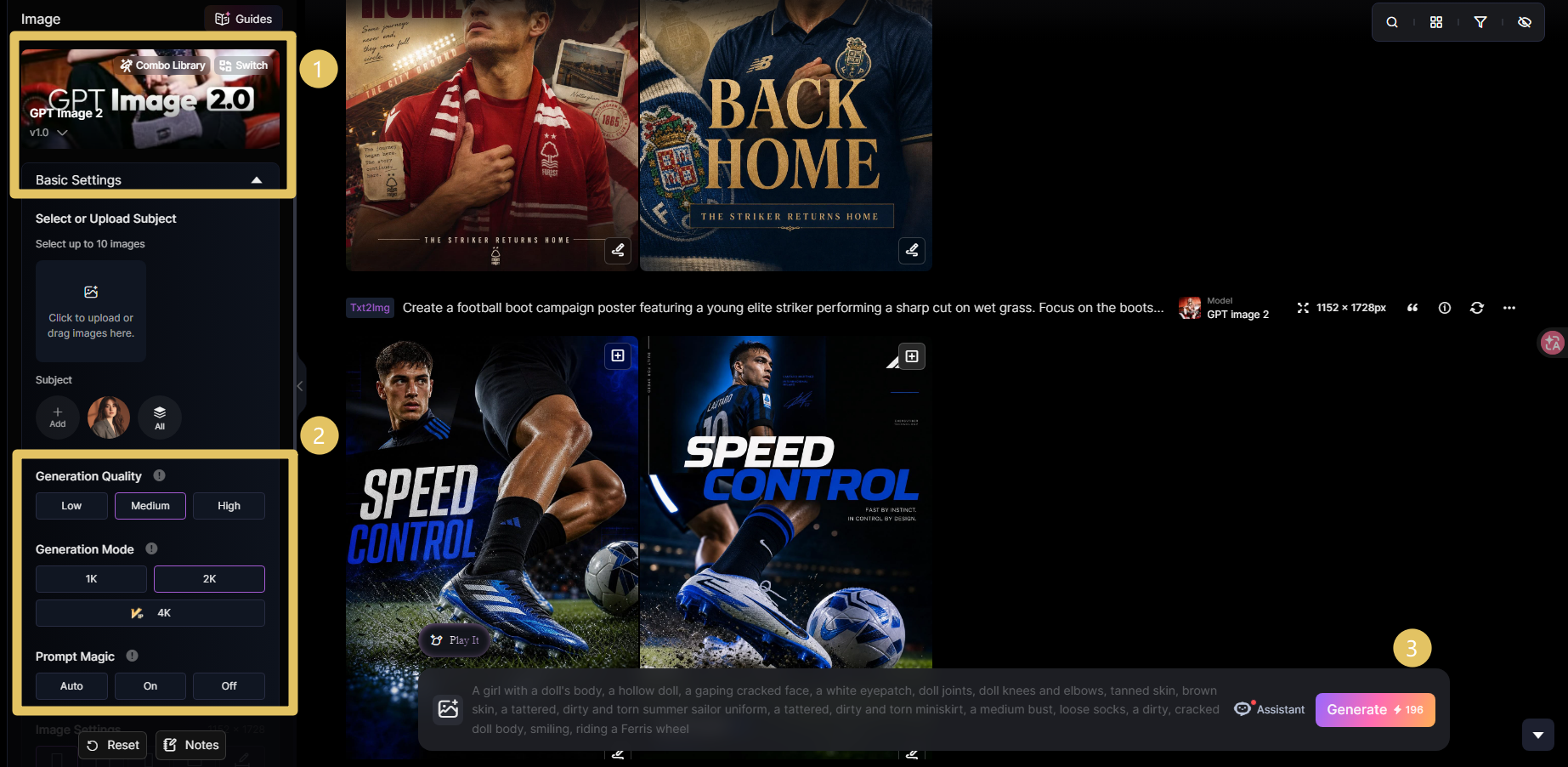
A vertical format usually works best for posters. It fits mobile screens, social feeds, and player-centered compositions. If you are creating a match banner or YouTube thumbnail, use a horizontal format instead.
Step 3: Paste the Prompt and Generate
Once the model and size are ready, paste a prompt that matches the soccer poster style you want. You can use the prompt collection below as a starting point, then change the colors, background, player mood, or match theme.
When the prompt is ready, click Generate. If the first result is close but not quite right, adjust one part at a time: lighting, background, pose, kit color, or text placement. When the poster looks right, download it from SeaArt AI.
15 Ready-to-Copy AI Soccer Poster Prompts
Below are ready-to-copy prompts for creating a Soccer Poster in different styles. Pick the one closest to your idea, paste it into SeaArt AI, and adjust the colors, team mood, background, or poster text as needed.
For stronger results, build each prompt around five layers: subject, match context, visual style, lighting, and layout. Here is a quick keyword set you can reuse when writing an AI Football Poster for Match.
| Prompt Layer | Useful Keywords | Best For |
|---|---|---|
| Subject | fictional football player, national team-style kit, captain pose, team lineup | Player posters and team graphics |
| Setting | packed stadium, floodlights, tunnel entrance, matchday crowd, city skyline | Matchday and final posters |
| Style | cinematic sports poster, editorial football photography, clean match graphic | Professional-looking social posts |
| Lighting | dramatic rim light, stadium glow, high contrast, blue and white light | More depth and impact |
| Safety | fictional badge, no official logo, no sponsor name, no real player likeness | Personal fan visuals |
123Prompt help: If it feels difficult to adjust prompts by hand, you can also try the SeaArt soccer poster agent. Enter the mood you want, then refine the poster prompt before generating the final image.
How to Turn a Soccer Poster into an Animated Poster
A soccer poster made in SeaArt AI can also be used as the starting image for a short animated poster. This works well for social posts when the movement stays subtle.
For example, you can animate stadium lights, flags, hair, kit fabric, crowd glow, or small particles in the background. If the movement is too strong, the image may stop feeling like a poster, so start with a short loop and a limited motion range.
Use the Still Poster for Video Generation
First, save the soccer poster you created in SeaArt AI. Then open the video generation feature and upload the saved poster as a reference image.
Keep the movement focused on the background or light effects. Stadium floodlights, flags, crowd shimmer, pitch mist, and small sparks usually work better than moving the player's face or body.
If the player moves too much, the pose or expression can break. To preserve the original poster, animate the atmosphere around the player instead of the player's main features.
234Bonus: Turn Your Photo into a Football Player Portrait
A soccer poster does not have to feature only fictional players. You can also use your own photo as a reference and turn it into a football player-style portrait. This is useful for social posts, profile images, fantasy team graphics, and personal fan posters.
To keep the image believable, preserve your face shape and expression while adding a clean football kit, studio-style lighting, and matchday atmosphere.
Upload Your Photo as a Reference Image
Prepare a clear photo before uploading. A well-lit image where your face is easy to see usually works better because the AI has more visual information to preserve.
Open the SeaArt AI image generation page and upload your photo as a reference image. For an upper-body portrait, choose a photo that shows your face and shoulders. For a full-body soccer poster, use a standing photo so the AI can more easily create a football pose.
Before uploading, check the background. Avoid photos that show addresses, school names, workplace signs, license plates, or other private information, especially if you plan to share the final image online.
Prompt for Turning Yourself into a Football Player Portrait
After uploading the photo, tell the AI to preserve the person's identity while changing the clothing, lighting, and background into a football poster style.
456What to Check Before Using an AI Soccer Poster
Before using an AI-generated soccer poster, review the final image carefully. Even if your prompt asks for no official marks, the result may still create a badge, sponsor-like text, or a player who looks too close to a real athlete.
Check for Official Logos and Real Player Likeness
Avoid putting official federation names, club badges, sponsor names, tournament marks, or real player names in your prompt. AI generation can still create accidental lookalikes, so review the chest badge, background signage, kit design, and player face after generation.
If the image feels too close to an official design, add phrases such as "fictional player," "no official logo," "fictional badge," and "no sponsor text," then generate again.
Make It Clear That the Poster Is Not Official
If you share the poster on social media, avoid presenting it as an official match graphic. A World Cup-style or club-style design can look official at first glance, so it is better to treat it as a personal fan poster.
For public posts, consider mentioning that the image was AI-generated. This helps avoid confusion, especially when the poster uses tournament-style lighting, kit colors, or matchday text.
Check Poster Text After Generation
GPT Image 2 can create posters with text, including titles, slogans, and short match messages. Still, AI-generated text can contain spelling, layout, or spacing issues.
Always check match dates, names, scores, venue details, and event information before sharing the image. If you want different text placement, add clear instructions such as "larger title," "centered text," or "more empty space around the headline."
Conclusion
This guide covered how to create a soccer poster with SeaArt AI and how to use ready-to-copy AI Soccer Poster Prompt examples for matchday graphics, football portraits, team collages, movie-style posters, mobile wallpapers, and fan visuals.
With a clear prompt, SeaArt AI can help you create many types of Soccer Poster designs: realistic player portraits, national team-style graphics, cinematic match posters, retro football art, and clean AI Football Poster for Match layouts.
You can also turn a still poster into a short animated poster or upload your own photo to create a football player-style portrait. Before posting, check for official logo issues, real player likeness, and any text mistakes. Then adjust the prompt until the poster fits your matchday idea.
Related Articles
AI World Cup Prediction: How to Predict the 2026 World Cup Winner with AI
12 Gemini Football Player Poster Prompts for Match Day Designs
20+ AI Football Player Prompts: Create Professional Footballer Photos with AI
World Cup Poster Prompts: 38+ AI Ideas for 2026 Football Designs
AI Soccer Poster Prompt: Create Soccer Posters for Matches and Fan Posts