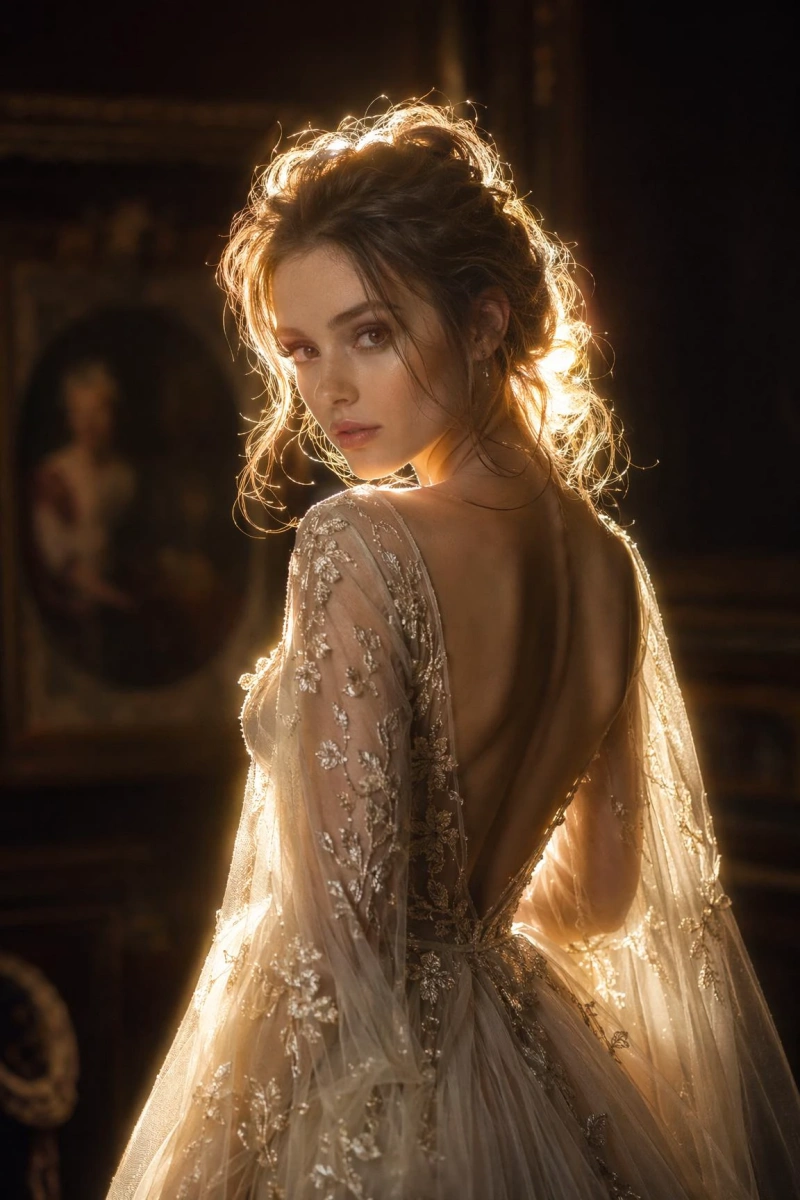
20+ Lofi Dusk Prompts: Create Cinematic, Aesthetic AI Photos
The Lofi Dusk style has become one of the most viral visual trends on TikTok, Pinterest, and Instagram. Its portraits with golden lighting, dark backgrounds, glow effects, and a cinematic aesthetic create photos with a nostalgic, emotional, and artistic mood, as if they came straight out of an indie film or a retro analog camera.
The best part is that you no longer need professional photography skills or advanced editing knowledge to get this effect. With the right prompts and an AI image generator, you can create aesthetic selfies, night portraits, and cinematic photos in seconds using simple, creative descriptions.
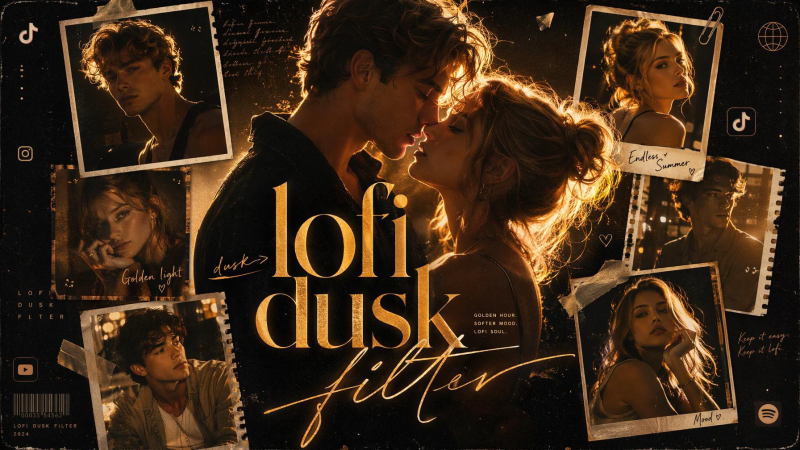
In this guide, you will find a detailed tutorial for creating photos with the Lofi Dusk effect, along with 20+ ready-to-copy Lofi Dusk prompts. Explore cinematic portraits, night streets, beaches at dusk, warm lights, and nostalgic scenes to recreate the viral Lofi Dusk aesthetic and generate stunning AI photos in seconds.
How to Create Lofi Dusk Filter Photos with AI
If you want to create photos with the Lofi Dusk effect, known for its golden halos, cinematic backlighting, and nostalgic atmosphere, you can do it easily with GPT Image 2.0 in SeaArt AI. This powerful model lets you generate images from text and edit photos to recreate specific visual styles with high precision.
Whether you want to create nighttime selfies, emotional portraits, rainy urban scenes, or photos with a vintage film aesthetic, you only need a few steps to get impressive results.
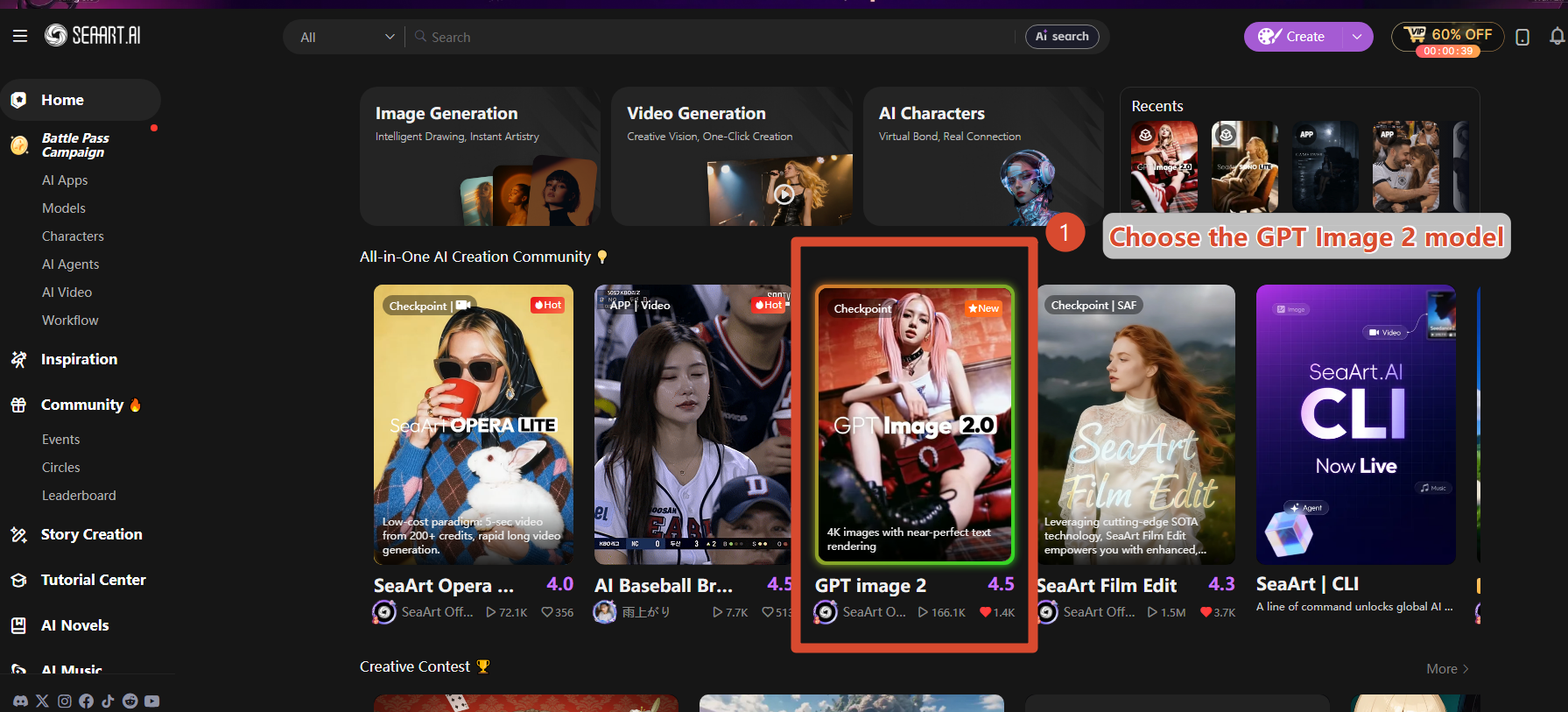
Step 1: Open the SeaArt AI Image Generator
Go to the SeaArt AI image generator and select GPT Image 2.0 as the generation model.
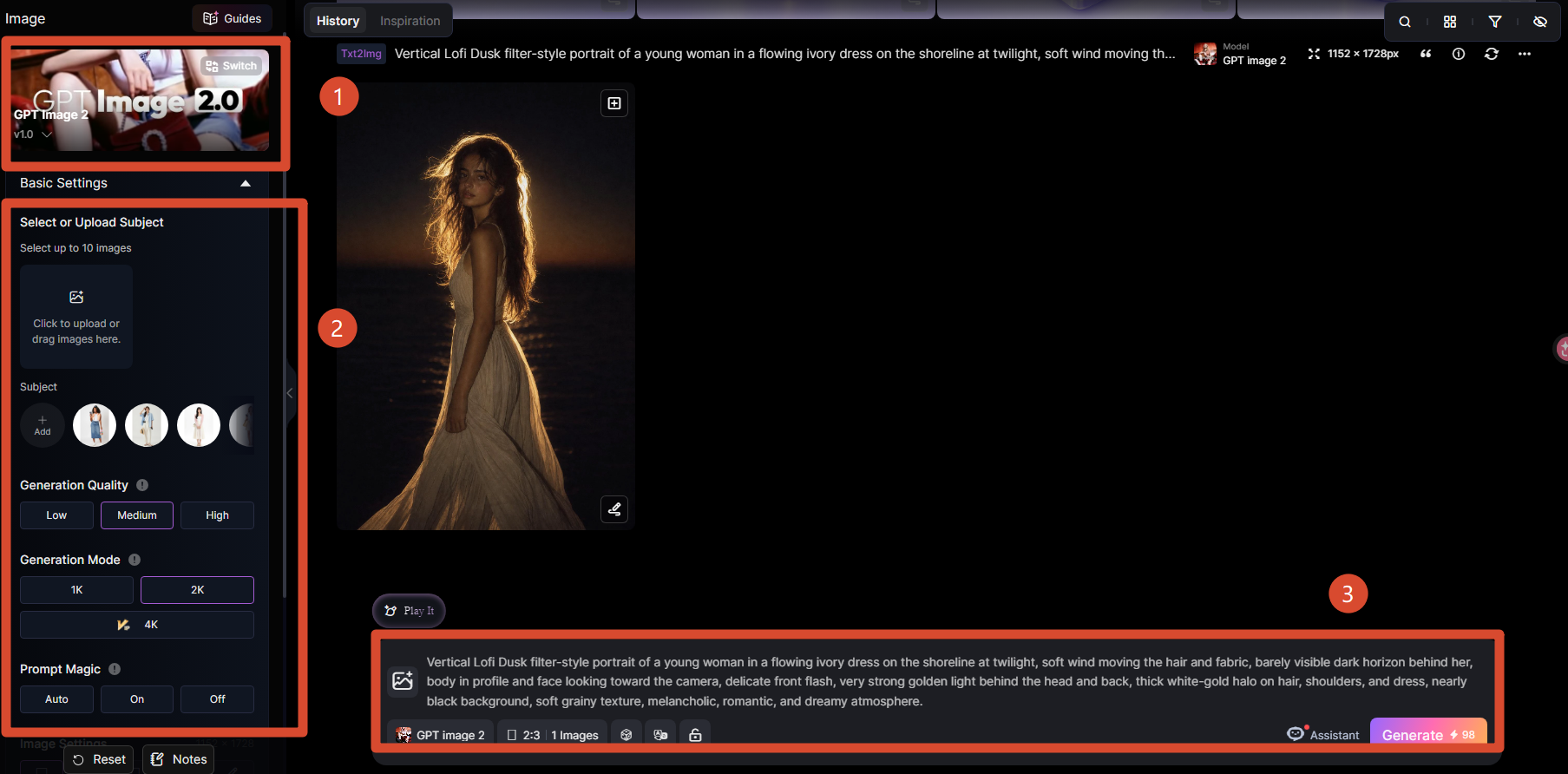
Step 2: Upload an Image (Optional) and Enter a Lofi Dusk Prompt
If you want to transform an existing photo into the Lofi Dusk style, you can first upload an image as a reference. If you prefer to create a completely new image, simply skip this step.
Then write a prompt describing the scene, lighting, and atmosphere you want, including elements such as golden backlighting, night streets, vintage film grain, or warm light halos. For faster and more consistent results, you can also copy and use the Lofi Dusk photo prompts shared in this guide directly.
Step 3: Generate and Download Your Image
When your prompt is ready, click Generate and wait a few seconds while the AI creates the image. If you want, you can keep adjusting the prompt to test different scenes, styles, or lighting effects. Once you get the ideal result, download the image and share it on platforms like TikTok, Instagram, or Pinterest.
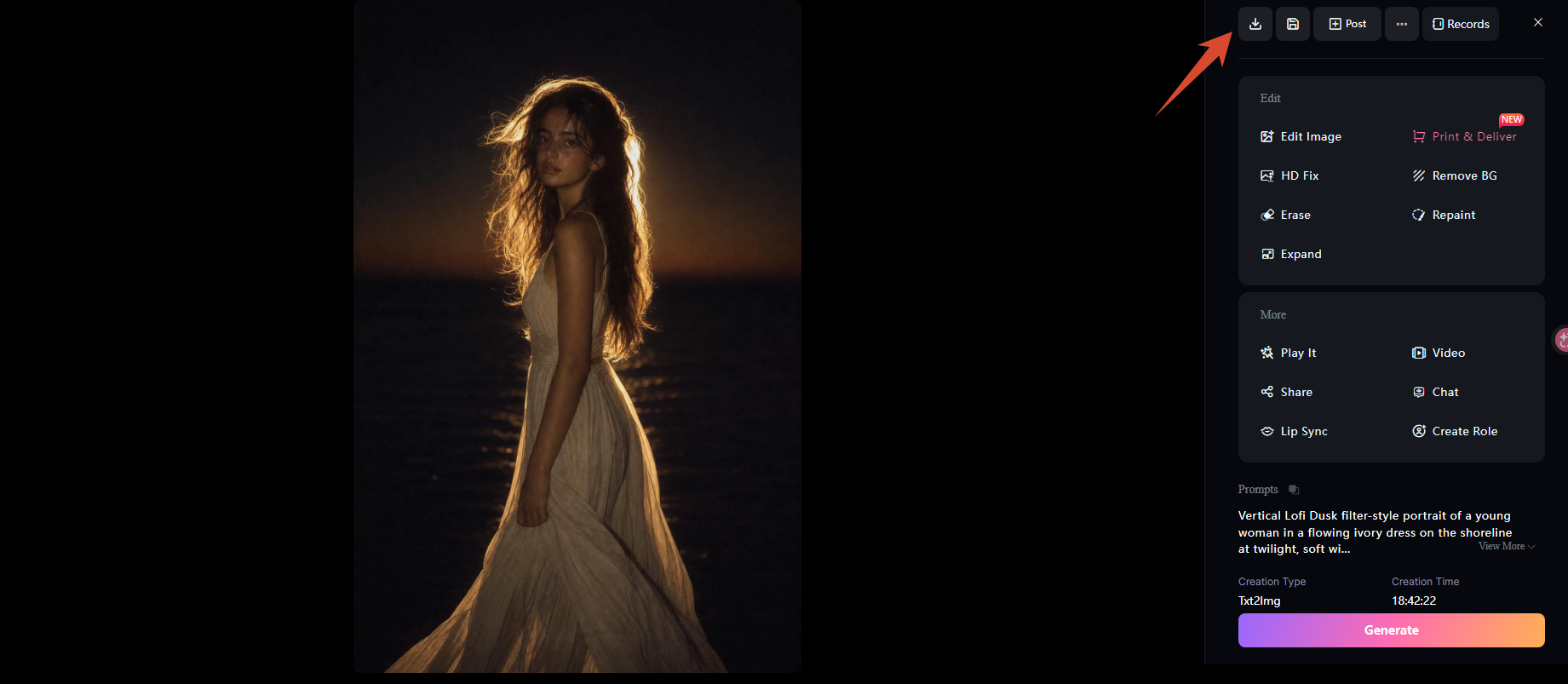
🎯 Note: To get a result that is closer to the Lofi Dusk effect, avoid using prompts that are too short. A generic prompt like "aesthetic photo at night" may create an attractive image, but it will not always include the luminous halo, vintage film texture, and warm contrast that define the Lofi Dusk aesthetic.
20+ Ready-to-Copy Lofi Dusk Filter Prompts
Now that you know how to recreate the Lofi Dusk effect, it is time to put it into practice. Below, you will find more than 20 ready-to-copy prompts inspired by some of the most popular styles in this trend. From cinematic portraits and night streets to beaches at dusk, urban rain, and nostalgic scenes, these prompts will help you generate photos with the signature Lofi Dusk atmosphere in just a few seconds.
Lofi Dusk Photo Prompts for Women
1Lofi Dusk Photo Prompts for Men
2Lofi Dusk Photo Prompts for Couples
3Tips to Improve Your Lofi Dusk Filter Photos
The Lofi Dusk style depends above all on how light, contrast, and atmosphere are built inside the prompt. If these elements are not clearly defined, the AI may generate an attractive night photo, but without the golden halo, dark background, and nostalgic texture that make this aesthetic recognizable. That is why, before thinking about clothing or setting, it is worth making sure the image has a strong visual foundation.
- Use backlighting: words like warm light from behind, golden rim light, and hair glow help create the bright outline.
- Combine warm tones with dark shadows: the contrast between gold and black is central to the Lofi Dusk effect.
- Add film texture: include film grain, 35mm film look, analog photo, or vintage flash to avoid results that look too clean.
- Take care of the face: if you use a reference photo, add "preserve facial identity, natural face, realistic skin".
- Do not mix too many styles: if you ask for Lofi Dusk, cyberpunk, fantasy, anime, and editorial all at once, the result may lose clarity.
- Generate several versions: this style improves a lot when you compare variations in light, angle, and background.
🎯 Practical tip: if the result comes out too dark, add "soft front flash" or "slightly illuminated face". If it comes out too bright, add "black background, deep shadows, cinematic contrast".
The following table brings together some of the most useful expressions for building more consistent Lofi Dusk prompts. You can use them as they are or combine them depending on the type of result you want to achieve.
| Cinematic Lighting Terms | Most Popular Aesthetic and Retro Effects | Keywords for TikTok and Pinterest-Style Portraits |
|---|---|---|
| warm light from behind | film grain | TikTok aesthetic |
| golden rim light | 35mm film look | night vibes |
| hair glow | analog photo | dark background |
| soft flash | CCD camera | dreamy atmosphere |
| cinematic shadows | disposable camera | urban night portrait |
| high contrast | vintage flash | Pinterest mood |
An easy way to use them is to build the prompt in layers: subject + setting + light direction + texture + atmosphere.
For example, you can start with a basic phrase like "portrait of a young woman on a night street" and then add terms like warm light from behind, golden rim light, dark background, film grain, and TikTok aesthetic to get much closer to the Lofi Dusk look.
Conclusion
The charm of the Lofi Dusk style lies in its ability to transform everyday scenes into images full of emotion and atmosphere. The combination of warm backlighting, golden halos, dark backgrounds, and textures inspired by analog photography creates a highly recognizable cinematic aesthetic. Whether for portraits, nighttime urban photography, or compositions with a nostalgic touch, this style adds depth and personality to every image.
With this guide, you now know the essential elements for creating photos with the Lofi Dusk aesthetic. You can use the Lofi Dusk photo prompts included in this article or adapt them according to the scene and the result you want to achieve.
The best way to master this style is to experiment. Try different combinations of light, backgrounds, angles, and poses in SeaArt AI, compare several versions, and adjust the details until you find the visual atmosphere that best reflects your creativity.
Related Articles

25 Gemini Caricature Prompts: Create Free Viral AI Avatars
20 ChatGPT Couple Photo Prompts to Create Romantic AI Images
21 Gemini AI Family Photo Prompt Ideas for Warm, Natural Family Pictures
20+ Lofi Dusk Prompts: Create Cinematic, Aesthetic AI Photos
How to Make ChatGPT Height Difference AI Art With Your Crush or Favorite Idol
60 Horror Character Prompts to Inspire Stories and Interactive AI Roleplay

AI Soccer Poster Prompt: Create Soccer Posters for Matches and Fan Posts

36 Children's Day Prompts: Create Photos, Cards, and Posters with AI